We spent weeks with 21 AI voice tools so you can spend minutes picking one. Real tests, real audio, prices checked this month. No affiliate rankings, no "best for everyone" cop-outs.
Last updated: October 2026
Quick Answer
ElevenLabs still leads on raw realism. Notevibes is the pick if you want finished audio, not a voice engine: tell Noty, its AI producer, what you're making and get the podcast, audiobook or narrated deck back. About 10 hours of audio a month and one cloned voice for $19, or $49 on Pro for unlimited cloned voices. Murf.ai wins when the voice lives inside a video. Developers: start with Google's Gemini 3.8 TTS.
What Changed — October 2026 Update
•Notevibes (Sept 30) cut Pro to $49/mo and put unlimited cloned voices, 80+ emotion tags, a TTS REST API and up to 5 seats in it. Every paid plan includes full commercial rights, so if you sell what you make, start from $9/mo.
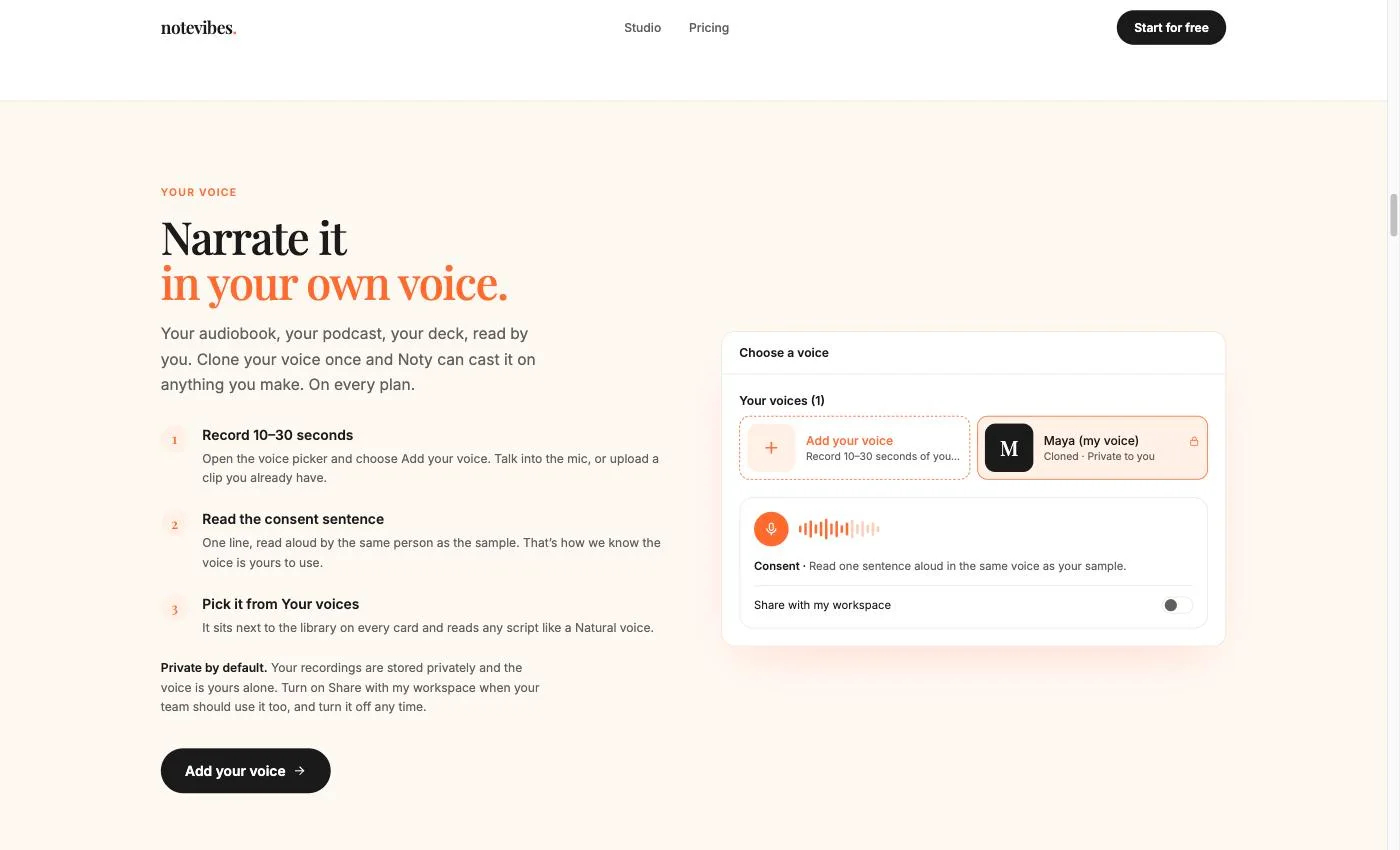
•Notevibes (Sept 24) launched voice cloning from a 10–30 second sample plus a spoken consent line, and made Natural voices the default, with a 2,600+ voice library. Your own voice can now narrate anything Noty produces.
•ElevenLabs (Sept 28) launched Eleven v4 and v4 Turbo with more expression control and 90+ languages (vendor claim). The v4 API is 72% off until Oct 12, so test now if per-character cost matters.
•Google (Sept 23) released Gemini 3.8 Flash TTS and Flash-Lite TTS in preview: 2,000+ voices, 100+ languages and cloning from a 30-second authorized sample. Preview prices double on Jan 1, 2027, so budget for that.
•OpenAI (Sept 10) made GPT-Live 1 generally available: full-duplex realtime voice at $0.05 a minute. Great for voice agents; there is still no new standalone TTS model for narration.
•Voice cloning law caught up. China's Supreme People's Court issued rules covering unauthorized voice cloning (Sept 7), and a Japanese voice actor sued TikTok over an AI clone of his voice (Sept 27). Consent checks are no longer optional.
•Voice-clone scams targeting families were reported from Sept 8 onward, with new cases on Sept 30. Another reason to pick a tool that keeps clones private and asks for spoken consent.
Spec sheets only go so far. Here is one line of text, voiced by five different tools. Your ears will settle it faster than any table.
Test Script
"The future of storytelling is here. With AI voice technology, creators can bring any character to life — from a whispered secret to an excited announcement — in seconds, not hours."
Notevibes
Ours
— one voice, three directions
Free voices need no sign-up; 80+ inline emotion tags come with Pro. Try your own line
ElevenLabs— audio tags + auto emotion
Murf.ai— Limited emotion controls
Google Cloud TTS— Emotion via Gemini prompts (API only)
Amazon Polly— Newscaster style only
The matchups people actually ask about
Notevibes vs ElevenLabs
Choose Notevibes if you need:
A producer, not just a voice: Noty builds the podcast, audiobook or deck
About 10 hours a month for $19 vs about 30 minutes for $6
Drop in a PDF, DOCX, PPTX or URL and skip the copy-paste
Cloning, 80+ emotion tags, commercial rights and API on one $49 plan
90+ free voices with no sign-up required
Choose ElevenLabs if you need:
Maximum voice realism and naturalness
Professional voice cloning from the $22 Creator plan
Developer API with streaming and WebSocket support
A 10,000+ Voice Library, v4 models and a dubbing studio
Notevibes vs Murf.ai
Choose Notevibes if you need:
Tell Noty the result you want instead of building it on a timeline
About 10 hours a month for $19 vs 24 hours a year on Murf Creator
Your own cloned voice at $49 (Murf: Enterprise only)
2,600+ voices vs Murf's 200+, plus direction on any line
Podcasts and audiobooks built in, not just voiceover
Choose Murf.ai if you need:
Built-in video editor with voice sync
Voice changer for recorded audio
Royalty-free stock media built in
PowerPoint and Google Slides plugins on Business
A note on LOVO.ai
We used to compare Notevibes and LOVO head-to-head here. We no longer do: Lovo Inc. filed Chapter 7 bankruptcy (liquidation) on May 27, 2026, weeks before a scheduled hearing in the Lehrman voice-actors lawsuit, which is now stayed. As of July 2026 the site still sells subscriptions with no bankruptcy notice, and paying users have reportedly been locked out of accounts.
Do not start a new LOVO subscription — annual prepay especially. If you're an existing user, export your projects and see our migration guide.
Notevibes vs Cloud APIs (Polly / Google / Azure)
Choose Notevibes if you need:
Ready in seconds — no cloud account or API setup
Noty produces podcasts, audiobooks and decks; no code to write
Direction on any line, plus 80+ emotion tags on Pro
Fixed monthly price — no usage-based surprises
Choose Cloud APIs if you need:
Millions of characters at $15–16/1M (neural quality)
Programmatic API for app integration
Enterprise SLAs, uptime guarantees, compliance
Existing cloud ecosystem integration
Free vs Paid AI Voice Generators
Best Free Options
NaturalReader — free-forever listening plan
Notevibes — 90+ free voices, no sign-up, no watermark
Amazon Polly — $200 credits for new AWS accounts
Free tiers are great for testing but have limits on characters, voice selection, or commercial usage.
Worth Paying For
Full emotion and style controls
Commercial usage rights
Premium voice quality and selection
Priority support and higher limits
For professional use, paid plans from $5–$49/mo unlock the features that matter most.
Under the hood: sample rate, bit depth, formats
A great voice in a thin file still sounds thin. Sample rate sets the detail, bit depth sets the headroom, and formats decide where the audio can go next. Here is how the main tools compare.
Azure TTS48 kHz
Bit Depth: 16-bitBitrate: 192 kbpsLatency: LowFormats: MP3, WAV, OGG, PCM
Highest fidelity among the cloud APIs: a native 48 kHz model, not upsampled
Notevibes24 kHz
Bit Depth: 16-bitBitrate: 192 kbpsLatency: LowFormats: MP3, WAV, ULAW
Natural voices render at 24 kHz, the same as the Gemini and Chirp engines underneath; clean 192 kbps MP3 or WAV, and ULAW export (Pro) drops straight into phone systems
ElevenLabs44.1 kHz
Bit Depth: 16-bitBitrate: 192 kbpsLatency: Very LowFormats: MP3, PCM, Opus
Best perceived naturalness; 192 kbps from Creator up, lower tiers capped at 128 kbps
Murf.ai48 kHz
Bit Depth: 16-bitBitrate: 320 kbpsLatency: MediumFormats: MP3, WAV, FLAC
Clean, consistent output; the occasional pacing artifact on long reads
Google Cloud TTS24 kHz
Bit Depth: 16-bitBitrate: 64 kbpsLatency: Very LowFormats: MP3, WAV, OGG
Default 24 kHz is lower than most: fine for apps and assistants, not ideal for broadcast
Amazon Polly24 kHz
Bit Depth: 16-bitBitrate: 48 kbpsLatency: Very LowFormats: MP3, OGG, PCM
Tuned for real-time apps, not studio work; the 24 kHz ceiling limits podcast use
WellSaid Labs48 kHz
Bit Depth: 16-bitBitrate: 320 kbpsLatency: MediumFormats: MP3, WAV, OGG
High-fidelity output with crisp articulation; fewer export formats on lower plans
Tool
Max Sample Rate
Bit Depth
Max Bitrate
Formats
Latency
Azure TTS
48 kHz
16-bit
192 kbps
MP3, WAV, OGG, PCM
Low
Notevibes
24 kHz
16-bit
192 kbps
MP3, WAV, ULAW
Low
ElevenLabs
44.1 kHz
16-bit
192 kbps
MP3, PCM, Opus
Very Low
Murf.ai
48 kHz
16-bit
320 kbps
MP3, WAV, FLAC
Medium
Google Cloud TTS
24 kHz
16-bit
64 kbps
MP3, WAV, OGG
Very Low
Amazon Polly
24 kHz
16-bit
48 kbps
MP3, OGG, PCM
Very Low
WellSaid Labs
48 kHz
16-bit
320 kbps
MP3, WAV, OGG
Medium
Azure TTS:Highest fidelity among the cloud APIs: a native 48 kHz model, not upsampled
Notevibes:Natural voices render at 24 kHz, the same as the Gemini and Chirp engines underneath; clean 192 kbps MP3 or WAV, and ULAW export (Pro) drops straight into phone systems
ElevenLabs:Best perceived naturalness; 192 kbps from Creator up, lower tiers capped at 128 kbps
Murf.ai:Clean, consistent output; the occasional pacing artifact on long reads
Google Cloud TTS:Default 24 kHz is lower than most: fine for apps and assistants, not ideal for broadcast
Amazon Polly:Tuned for real-time apps, not studio work; the 24 kHz ceiling limits podcast use
WellSaid Labs:High-fidelity output with crisp articulation; fewer export formats on lower plans
Why these specs matter
Sample Rate (kHz) — How many audio snapshots per second. 44.1 kHz is CD quality; 48 kHz is broadcast/video standard. Below 24 kHz, high frequencies get cut and audio sounds "muffled."
Bit Depth — Determines dynamic range (quiet-to-loud). 16-bit gives 96 dB range (standard). 24-bit gives 144 dB — more headroom for post-production, mixing, and volume normalization without noise.
Bitrate (kbps) — How much data per second in compressed formats like MP3. Higher = better fidelity. 128 kbps is "good enough," 192+ is professional, 320 kbps is near-lossless.
Latency — Time from request to first audio. Critical for real-time apps (chatbots, IVR). Less important for batch content creation like audiobooks or YouTube videos.
Which tools can whisper, laugh and sigh?
Flat audio gets skipped. Here is which emotions each tool lets you ask for directly, which it only guesses at, and which it can't do. The Notevibes column reflects Pro, where the inline tags live; Natural voices on every plan also take plain-language direction.
Happy / Joyful
Notevibes Pro
ElevenLabs
Auto
Azure
Hume
Sad
Notevibes Pro
ElevenLabs
Auto
Azure
Hume
Excited
Notevibes Pro
ElevenLabs
Azure
Hume
Calm / Gentle
Notevibes Pro
ElevenLabs
Auto
Azure
Hume
Angry
Notevibes Pro
ElevenLabs
Auto
Azure
Hume
Whisper
Notevibes Pro
ElevenLabs
Azure
Hume
Confident
Notevibes Pro
ElevenLabs
Auto
Azure
Hume
Empathetic
Notevibes Pro
ElevenLabs
Auto
Azure
Hume
Surprised
Notevibes Pro
ElevenLabs
Auto
Azure
Hume
Curious
Notevibes Pro
ElevenLabs
Azure
Hume
Sarcastic
Notevibes Pro
ElevenLabs
Azure
Hume
Thoughtful
Notevibes Pro
ElevenLabs
Azure
Hume
Shouting
Notevibes Pro
ElevenLabs
Azure
Hume
Formal / Professional
Notevibes Pro
ElevenLabs
Auto
Azure
Hume
Laughing
Notevibes Pro
ElevenLabs
Azure
Hume
Sighing
Notevibes Pro
ElevenLabs
Azure
Hume
Friendly / Warm
Notevibes Pro
ElevenLabs
Auto
Azure
Hume
Newscaster
Notevibes Pro
ElevenLabs
Azure
Hume
Emotion
Notevibes (Pro)
ElevenLabs
Murf.ai
Azure
Hume AI
Typecast
LOVO
Happy / Joyful
Auto
Some
Some
Sad
Auto
Some
Excited
Some
Calm / Gentle
Auto
Angry
Auto
Some
Whisper
Confident
Auto
Empathetic
Auto
Surprised
Auto
Curious
Sarcastic
Thoughtful
Shouting
Formal / Professional
Auto
Some
Laughing
Sighing
Friendly / Warm
Auto
Some
Some
Newscaster
Total Supported
18/18
4 tags + auto
2
9
7
3
1
Explicit control — you choose the emotion directly via tags or UI
AAuto — AI infers emotion from text context (no manual control)
Not supported — no emotion capability for this style
What a finished minute really costs
Some tools bill characters, some credits, some hours. We turned all of it into one number: cost per finished minute of audio. Cloud APIs assume ~800 characters a minute; subscriptions use each vendor's own minutes or hours where they publish them.
Notevibes first, then everyone else from cheapest to most expensive. Subscriptions assume you use the whole monthly allowance.
Notevibes Creator
Best Value
$0.032/min
Creator ($19/mo, intro rate)
Notevibes Pro
$0.027/min
Pro ($49/mo, intro rate; unlimited cloning + commercial)
NaturalReader
$0.008/min
Personal Plus ($119/yr ≈ $9.92/mo, personal use)
OpenAI TTS
$0.012/min
tts-1 ($15/1M)
Azure
$0.012/min
Standard Neural ($15/1M)
Amazon Polly
$0.013/min
Neural ($16/1M)
Google Cloud
$0.013/min
Neural2 ($16/1M)
Voicemaker
$0.021/min
Starter ($5/mo)
Resemble AI
$0.030/min
Flex (third-party TTS rate, not on pricing page)
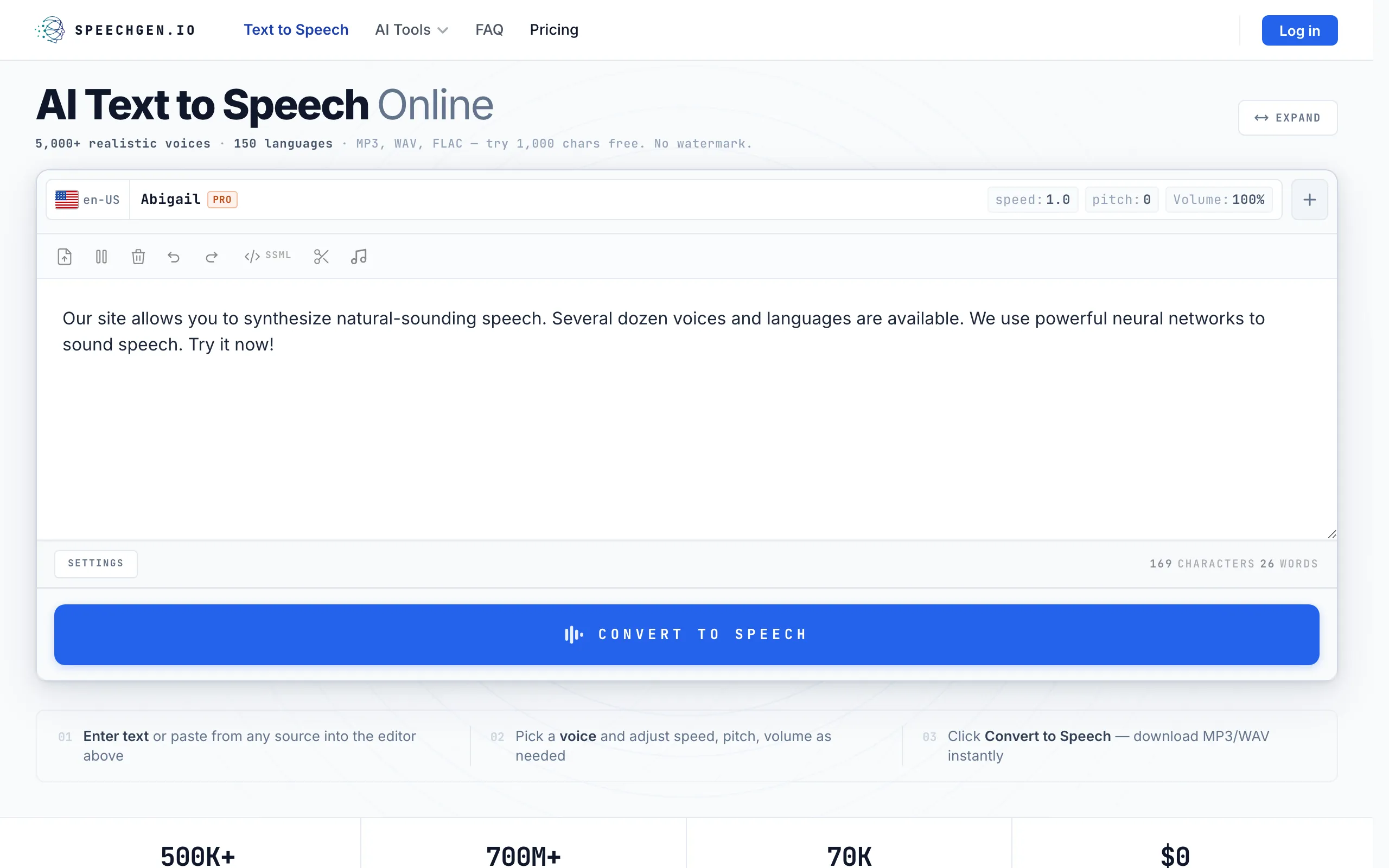
SpeechGen.io
€0.083/min
€4.99/25K credits
Hume AI
$0.100/min
Creator ($14/mo)
Typecast
$0.143/min
Basic ($5/mo)
Listnr
$0.158/min
Individual ($19/mo)
Murf.ai
$0.158/min
Creator ($19/mo billed yearly)
ElevenLabs
$0.200/min
Starter ($6/mo)
Narakeet
$0.200/min
30 min ($6)
WellSaid Labs
$0.950/min
Starter ($19/mo)
Tool
Plan
Included
Cost / Minute
Cost / 10 Min Video
Notevibes Creator
Best Value
Creator ($19/mo, intro rate)
500K credits (~10 h)
$0.032
$0.32
Notevibes Pro
Pro ($49/mo, intro rate; unlimited cloning + commercial)
1.5M credits (~30 h)
$0.027
$0.27
NaturalReader
Personal Plus ($119/yr ≈ $9.92/mo, personal use)
1M MP3 chars
$0.008
$0.08
OpenAI TTS
tts-1 ($15/1M)
Pay-as-you-go
$0.012
$0.12
Azure
Standard Neural ($15/1M)
Pay-as-you-go
$0.012
$0.12
Amazon Polly
Neural ($16/1M)
Pay-as-you-go
$0.013
$0.13
Google Cloud
Neural2 ($16/1M)
Pay-as-you-go
$0.013
$0.13
Voicemaker
Starter ($5/mo)
200K credits (~4 h)
$0.021
$0.21
Resemble AI
Flex (third-party TTS rate, not on pricing page)
Pay-as-you-go
$0.030
$0.30
SpeechGen.io
€4.99/25K credits
Pay-as-you-go (~60 min)
€0.083
€0.83
Hume AI
Creator ($14/mo)
140K chars (~140 min)
$0.100
$1.00
Typecast
Basic ($5/mo)
30K credits (~35 min)
$0.143
$1.43
Listnr
Individual ($19/mo)
20K credits (~2 h)
$0.158
$1.58
Murf.ai
Creator ($19/mo billed yearly)
24 h/yr (~120 min/mo)
$0.158
$1.58
ElevenLabs
Starter ($6/mo)
30K credits (~30 min)
$0.200
$2.00
Narakeet
30 min ($6)
Pay-as-you-go
$0.200
$2.00
WellSaid Labs
Starter ($19/mo)
20 download min/mo
$0.950
$9.50
Key takeaway: ten minutes of audio costs about $0.32 on Notevibes Creator ($0.27 on Pro), $2.00 on ElevenLabs Starter and $9.50 on WellSaid Starter. Cloud APIs, Voicemaker and NaturalReader (personal use only) cost less per minute, but you get no producer doing the work, and the cloud APIs mean writing code. One honest caveat: our numbers use the introductory Natural-voice rate through Dec 31, 2026. After that, the same plan buys roughly half the minutes.
Can you sell what you make?
Making the audio is the easy part. Publishing it, selling it or putting it in an ad needs the right plan. Here is where each tool draws the line.
NotevibesAny paid plan (from $9/mo); Free is personal use only
YouTube
Podcasts
Courses
Client work
Ads
Own audio
ElevenLabsStarter+ ($6/mo+)
YouTube
Podcasts
Courses
Client work
Ads
Own audio
Murf.aiCreator+ ($19/mo yearly); business license from $66/mo; broadcast rights are an Enterprise add-on
YouTube
Podcasts
Courses
Client work
Ads
Own audio
NaturalReaderPersonal plans: personal use only; Commercial Starter ($29/mo+) required
YouTube
Podcasts
Courses
Client work
Ads
Own audio
TypecastBasic+ ($5/mo+); free plan needs attribution
YouTube
Podcasts
Courses
Client work
Ads
Own audio
SpeechifyStudio Starter ($19/mo+); Reader is not commercial
YouTube
Podcasts
Courses
Client work
Ads
Own audio
OpenAI TTSAll paid usage
YouTube
Podcasts
Courses
Client work
Ads
Own audio
Amazon PollyAll usage (AWS ToS)
YouTube
Podcasts
Courses
Client work
Ads
Own audio
Google CloudAll usage (GCP ToS)
YouTube
Podcasts
Courses
Client work
Ads
Own audio
AzureAll usage (Azure ToS)
YouTube
Podcasts
Courses
Client work
Ads
Own audio
WellSaid LabsStarter+ ($19/mo+)
YouTube
Podcasts
Courses
Client work
Ads
Own audio
LuvvoicePlus ($13/mo+) or any one-time pack
YouTube
Podcasts
Courses
Client work
Ads
Own audio
ListnrIndividual+ ($19/mo+)
YouTube
Podcasts
Courses
Client work
Ads
Own audio
SpeechGen.ioAll packs
YouTube
Podcasts
Courses
Client work
Ads
Own audio
NarakeetAny pack purchase
YouTube
Podcasts
Courses
Client work
Ads
Own audio
VoicemakerStarter+ ($5/mo+); Free is personal use only
YouTube
Podcasts
Courses
Client work
Ads
Own audio
Tool
YouTube
Podcasts
Courses
Client Work
Ads
Own Audio
Required Plan
Notevibes
Full Rights
Any paid plan (from $9/mo); Free is personal use only
ElevenLabs
Starter+ ($6/mo+)
Murf.ai
Creator+ ($19/mo yearly); business license from $66/mo; broadcast rights are an Enterprise add-on
NaturalReader
Personal plans: personal use only; Commercial Starter ($29/mo+) required
Typecast
Basic+ ($5/mo+); free plan needs attribution
Speechify
Studio Starter ($19/mo+); Reader is not commercial
OpenAI TTS
All paid usage
Amazon Polly
All usage (AWS ToS)
Google Cloud
All usage (GCP ToS)
Azure
All usage (Azure ToS)
WellSaid Labs
Starter+ ($19/mo+)
Luvvoice
Plus ($13/mo+) or any one-time pack
Listnr
Individual+ ($19/mo+)
SpeechGen.io
All packs
Narakeet
Any pack purchase
Voicemaker
Starter+ ($5/mo+); Free is personal use only
Where full rights start
ElevenLabs grants commercial use from its $6 Starter plan; the cloud APIs (Polly, Google, Azure) on any usage. Notevibes puts full commercial rights on every paid plan from $9/mo, with one cloned voice included; Pro at $49/mo adds unlimited voice cloning, emotion tags and the API.
Watch Out For Restrictions
NaturalReader's Personal plans are personal use only, even the ones with cloning; business use needs a Commercial plan. Murf's Creator plan has commercial rights, but the business license starts at $66/mo and broadcast rights are an Enterprise add-on. Luvvoice gives no commercial rights on Free or Lite. Typecast's free plan needs attribution. Speechify's Reader is not for publishing. Check your plan's license before you post.
Do the math
Characters, hours, API rates — every tool bills differently. Plug in your numbers and see what you'd actually pay.
1K10K words100K
~55,000 characters · ~69 min of audio
1
SpeechGen.io
Cheapest
Pay-as-you-go, €4.99 per 25K credits (Standard voices)
$6.05/mo
$0.088/min
2
NaturalReader (Plus)
1M MP3 chars/mo ($119/yr, personal use only)
$9.92/mo
$0.144/min
3
Voicemaker (Creator)
400K credits/mo (Expressive engine burns 4x)
$10.00/mo
$0.145/min
4
ElevenLabs (Starter)
30K credits (~30 min), then overage
$13.50/mo
$0.196/min
5
Notevibes (Creator)
500K credits ≈ 416K chars (~10 h) at the intro rate; personal use
Estimates use ~5.5 characters per word and the plan named on each row. Notevibes rows use the introductory Natural-voice rate through Dec 31, 2026. Your real bill depends on voice model, plan and overage.
Best value for money: what your dollar actually buys
The sticker price is the least useful number on a pricing page. We weighed cost per character, voices, emotion control, the free tier and how much work the tool does for you.
Our value score weighs six factors: cost per character (how far your money goes), voice library size (variety per dollar), emotion and style controls (expressiveness without add-ons), free tier generosity (how much you get before paying), ease of use (time-to-value without technical setup), and voice quality tier (comparing equivalent quality levels fairly).
A note on cloud pricing: Amazon Polly's $4/1M rate buys basic Standard voices that sound synthetic; its Neural voices cost $16/1M. Azure's neural voices start at $15/1M. The exception is Google's WaveNet at $4/1M, real neural-era quality at the Standard price, while Neural2 is $16/1M, Chirp 3 HD $30/1M and Gemini 3.8 is billed per audio token.
Best Value for Content Creators
Notevibes gives creators the most finished work per dollar. You don't just get voices; you get Noty, a producer that turns your script, PDF or topic into the podcast, audiobook or narrated deck. Creator ($19) is the volume plan for your own projects; Pro ($49) is the plan for publishing.
About 10 hours of audio a month on Creator, about 30 on Pro (intro rate through Dec 31, 2026)
Pro adds unlimited cloned voices, 80+ emotion tags, API and 5 seats
90+ free voices to test first, no sign-up; free plan with no watermark
PDF, DOCX, PPTX, URL and image import, straight into the chat
Best Value for Developers & Enterprise
Amazon Polly, Google Cloud and Azure price neural voices at $15–16 per 1M characters, and Google's WaveNet costs $4/1M. Google's Gemini 3.8 is the most expressive of the three this month. All of them need cloud accounts and code. Azure has the broadest coverage (500+ voices, 140+ languages and locales).
$15–16/1M chars for neural quality, built for millions of characters
Pay only for what you use — no monthly minimums
Monthly free tiers for development (Polly 5M and Google 4M Standard-tier chars)
Cloud account and API integration required; not for non-technical users
How fast can you start?
The cheapest tool costs you plenty if setup eats an afternoon. Here is how quickly each one gets you from sign-up to audio.
Instant — No Setup Required
Notevibes — tell Noty what you're making, or paste text and pick a voice. Free voices need no account
OpenAI TTS — API-only, no web UI at all, requires coding
The Hidden Costs to Watch Out For
Overage Charges
ElevenLabs bills overage past your plan. Starter's 30K credits ($6/mo) cover about 30 minutes of speech. Notevibes plans don't bill overage at all: when credits run out you top up ($49 for 1M) or move up a plan.
Hour-Based Billing
Murf.ai's cheapest plan gives 24 hours per year (~2 hrs/mo). WellSaid's Starter caps downloads at 20 minutes a month. If your content runs long, you'll hit limits fast and need expensive upgrades.
Voice Quality vs. Price
Cloud headline rates usually buy the oldest voices. Polly's $4/1M is Standard; Neural is $16. Google's Gemini 3.8 preview prices double on Jan 1, 2027. Introductory rates end, ours included (Dec 31, 2026). Check what the headline price buys, and until when.
Bottom Line
For most creators, Notevibes is the best value: Noty does the producing, Creator gives about 10 hours of audio a month for $19, and Pro at $49 adds unlimited cloned voices and the API. Developers moving millions of characters should look at Google, Azure and Amazon Polly ($15–16/1M for neural voices, $4/1M for Google's WaveNet), and expect to write code. If realism is the only thing that matters, ElevenLabs earns its premium, at about 30 minutes for $6.
Which one is for you?
Start from what you're making, not from the spec sheet. Here is what we'd actually pick.
YouTube
Notevibes or Murf.ai
Noty writes and voices it, or edit voice on a timeline
Podcasts
Notevibes
Two hosts from a document, or just a topic
Audiobooks
Notevibes or ElevenLabs
A voice for every character, or peak realism
TikTok / Reels
Notevibes or Wondercraft
Punchy voiceovers, or video and voice together
E-Learning
Murf.ai or Notevibes
Video-synced narration, or narrated decks from chat
Developers
Google Gemini TTS or OpenAI TTS
Expressive voices by the token, or the simplest API
Enterprise
Azure AI Speech or WellSaid Labs
Scale, reliability & custom voices
Emotion AI
Notevibes or Hume AI
Direction plus 80+ tags on Pro, or an expressive API
Voice Cloning
ElevenLabs or Notevibes Pro
Pro-grade clones, or your voice inside a producer
What we actually found
#1
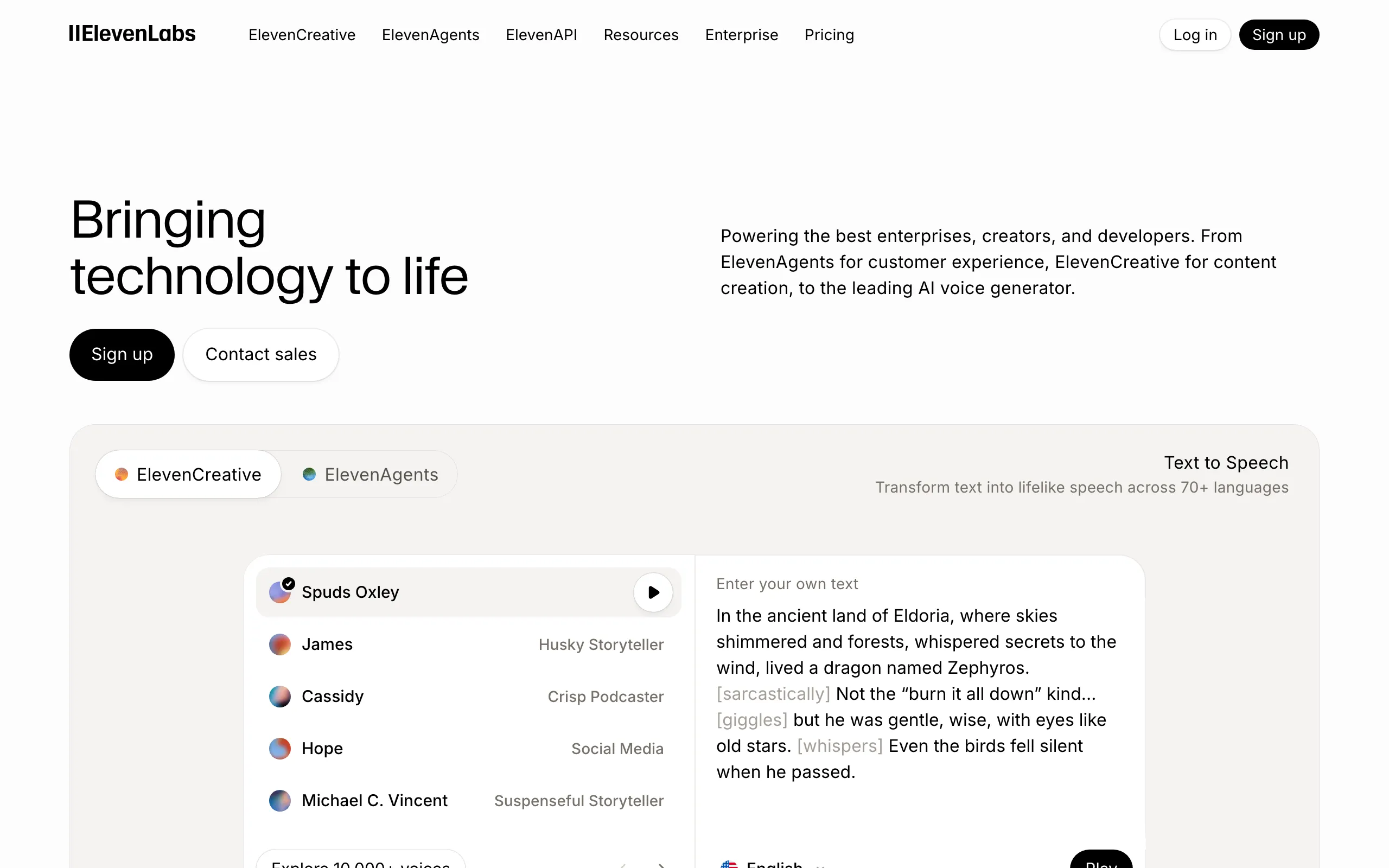
ElevenLabs
4.8
Best overall voice quality
ElevenLabs is still the voice you mistake for a person. Eleven v4 and v4 Turbo landed on September 28 with finer expression control and, by ElevenLabs' own count, 90+ languages. The older v3, v2 Multilingual and Flash models are still on sale beside them. Around the voices sits a whole platform: Scribe v2 speech-to-text, a dubbing studio, Eleven Music, voice agents and a Voice Library of 10,000+ voices. The engineering is first-rate. The catch is the meter. Starter's 30K credits cover roughly half an hour of speech, and real volume starts at $99.
Key Features
Eleven v4 and v4 Turbo (Sept 28, 2026): more expression control, 90+ languages (vendor claim)
Eleven v3 audio tags like [excited] and [whispers] for multi-speaker dialogue in 70+ languages
Instant cloning from Starter; professional cloning from Creator ($22/mo)
Voice Library of 10,000+ voices plus Voice Design for inventing new ones
Scribe v2 speech-to-text ($0.22/hr via API) and a dubbing studio from Starter
API per 1K characters: v4 $0.08 list ($0.022 promo until Oct 12), Flash/Turbo $0.04
Pricing
Free: 10K credits/mo, no commercial license, no cloning. Starter $6/mo ($5/mo annual): 30K credits, commercial license, instant cloning. Creator $22/mo ($18.33/mo annual, first month $11): 121K credits, professional cloning. Pro $99/mo ($82.50/mo annual): 600K credits, 44.1 kHz PCM via API, 1 professional clone. Scale $299/mo: 1.8M credits, 3 seats, 3 professional clones. Business $990/mo: 6M credits, 10 seats, 10 professional clones. Enterprise: custom.
Ease of Use & UI
4.5/5 — Very Easy
Sign up, paste, pick a voice, and you're listening in under two minutes. Projects handles long scripts without fuss, and Voice Design is fun to play with. The developer side is as good as the web app, which is rare. The only friction is mental: every take costs credits, and you feel it.
Pros
Still the most human-sounding output on this list
v4 adds finer expression control inside the same editor
Cloning on every paid plan: instant from $6, professional from $22
One of the best APIs and docs in the category
Cons
Starter's 30K credits last about half an hour of speech
Serious monthly volume means $99/mo and up
The free tier has no commercial license
Verdict
Pick ElevenLabs when the voice itself is the product: an audiobook sample, a brand ad, a character that has to fool the ear. Skip it if you need hours of narration every month on a small budget. You'll spend more time watching credits than writing.
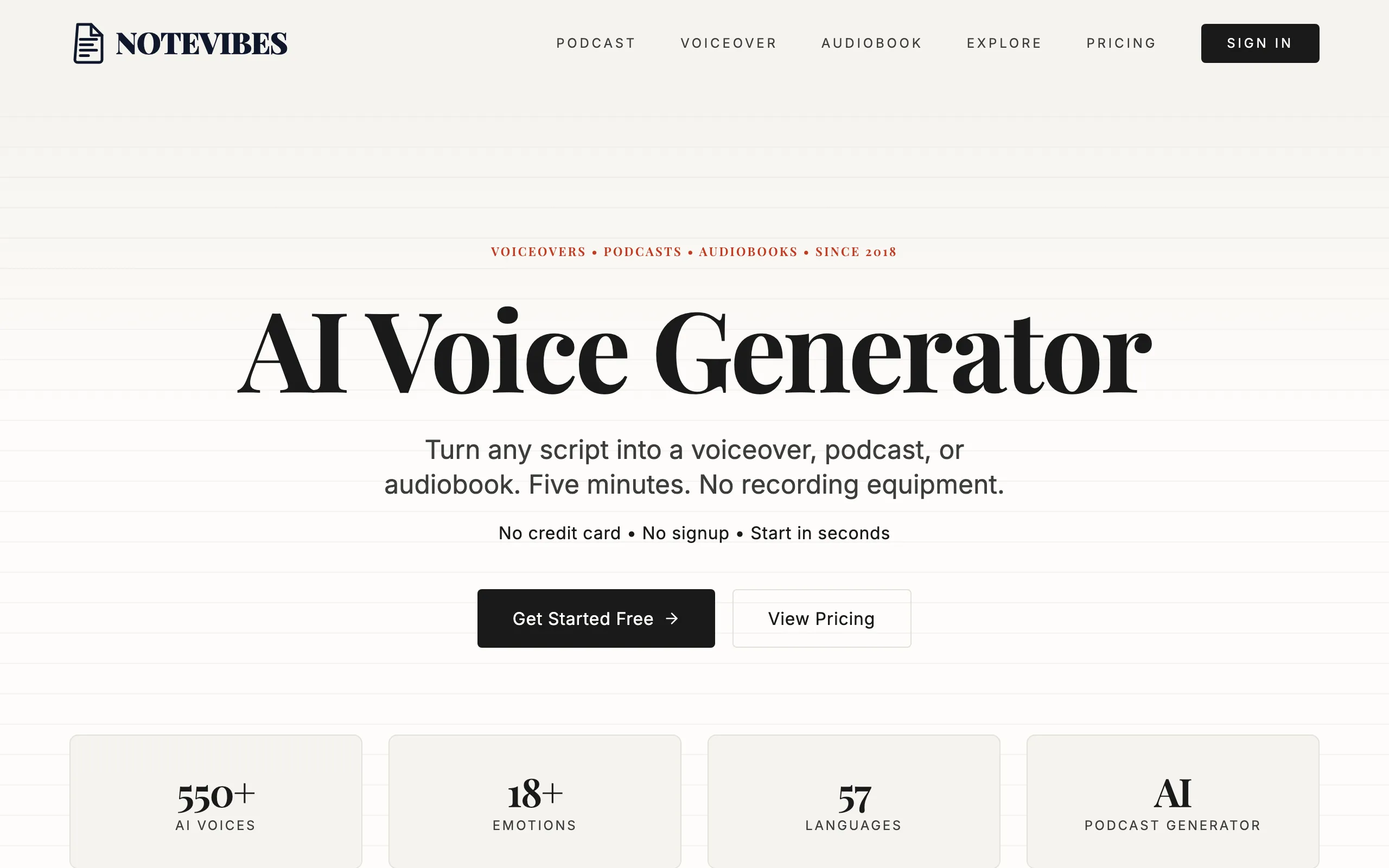
Notevibes is the one tool here you talk to instead of operate. Its AI producer, Noty, takes a script, a document or just a topic and hands back finished work: narration, a two-host podcast, an audiobook with a voice for every character, even a narrated slide deck. You say what you want in plain words, in your own language. Noty casts the voices, splits the speakers and directs the delivery. Want it slower, warmer, shorter? Ask. Under the hood sit 2,600+ voices in 130+ languages. Since September 24 there's also a clone of your own voice, made from a 10–30 second sample. We've been building voice tools since 2018, and this is the biggest change since then.
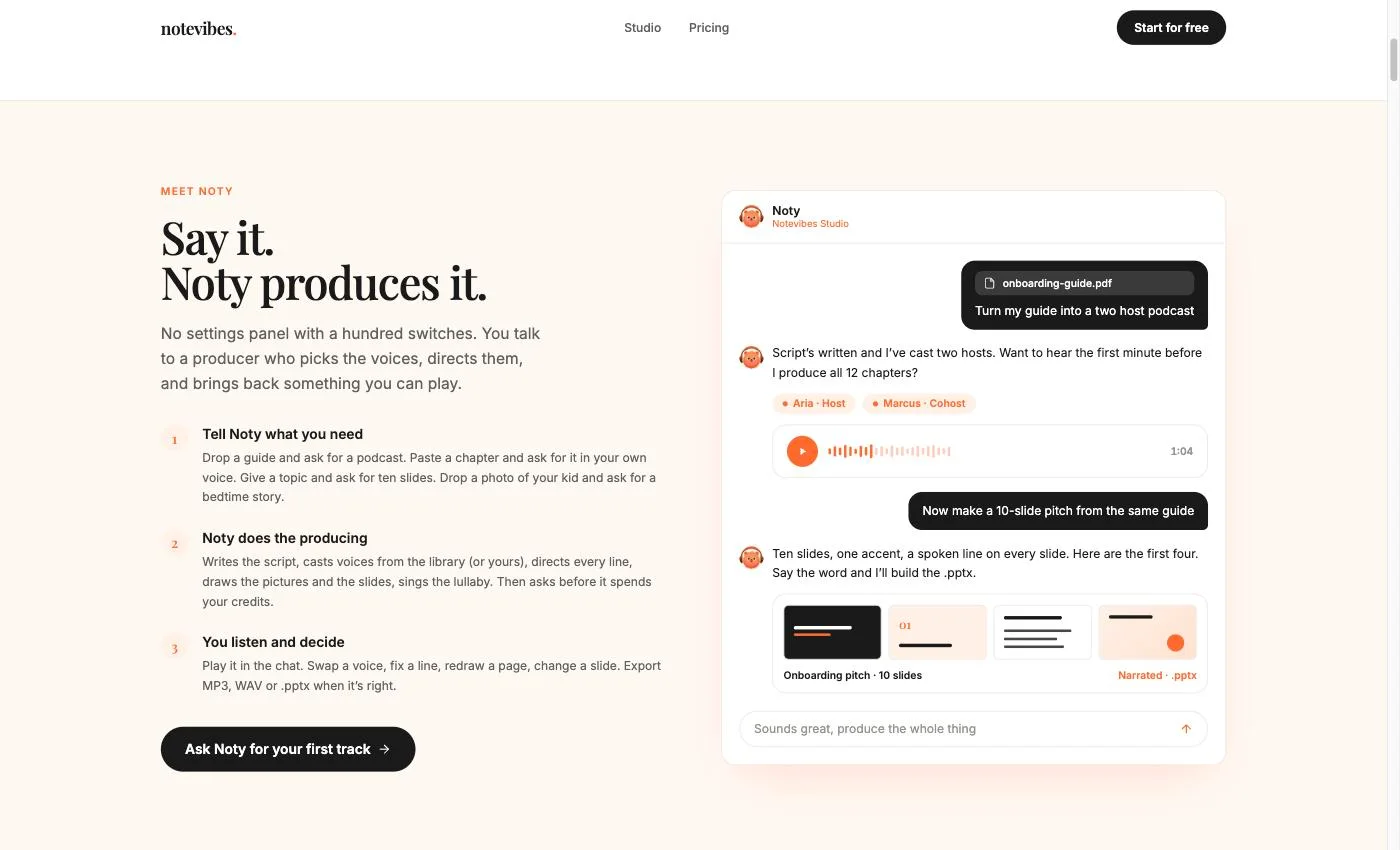
One chat, two jobs: Noty produces a podcast, then a narrated 10-slide pitch.
Noty, an AI producer in chat: hand over a script, PDF, URL or topic and get finished audio back
Podcasts from a document or just a topic, with emotion per speaker (10+ presets on Pro)
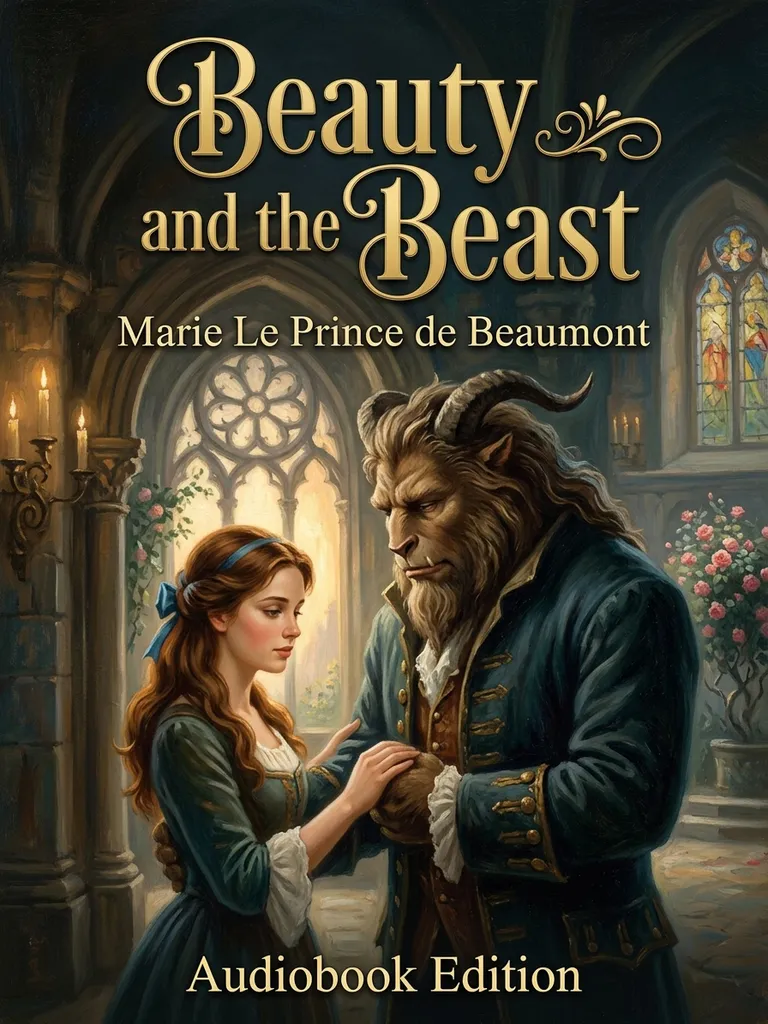
Audiobooks with character detection, one voice per character, and chapters
Narrated presentations: describe a topic, get a real .pptx with artwork and a spoken line per slide
Voice cloning on every paid plan: a 10–30 s sample plus a spoken consent line, private by default
2,600+ voices in 130+ languages, including 2,000+ named Natural voices with short descriptions
80+ inline emotion tags like [excited] and [whisper] on Pro
Same chat also makes songs and picture story books, cleans noise, transcribes and translates
Pricing
Free plan with no card and no watermark, plus 90+ free voices you can try without signing up. Starter $9/mo (100K credits, about 2 hours of audio). Creator $19/mo or $190/yr (500K credits, about 10 hours a month). Pro $49/mo or $490/yr (1.5M credits, about 30 hours): unlimited cloned voices, 80+ emotion tags, API access, up to 5 team members. Every paid plan includes commercial rights and one cloned voice (unlimited on Pro); Free is personal use only. Hours use the introductory Natural-voice rate through Dec 31, 2026 and roughly halve after that. One-time pack: $49 for 1M credits.
Ease of Use & UI
4.8/5 — Easiest
Open Studio and it asks what we're creating today. Pick a door (speech, a presentation, music, a story book, fixing audio) or just type. Drop in a PDF and Noty proposes a plan; say yes and it runs. Long jobs run on our servers, so closing the tab doesn't kill them. Noty answers in your language, and Studio speaks 13 of them. The depth is there when you want it: direction on any line, a different voice per paragraph, inline tags on Pro.
Pros
You describe the result; Noty does the producing
About 10 hours of audio a month for $19; at that price ElevenLabs, Murf and Listnr give about 2 hours
Podcasts, audiobooks, narrated decks, songs and story books from one chat
Cloning, emotion tags, commercial rights and the API all sit on one $49 plan
Cons
Every paid plan includes commercial rights; Free is personal use only
Cloning is new (Sept 24, 2026) and has fewer tuning controls than cloning-first tools
Monthly hours roughly halve when the introductory rate ends Dec 31, 2026
No video timeline: audio, slide decks and pictures only
Verdict
Pick Notevibes if you want finished audio, not a voice engine to babysit. Say "turn this PDF into a podcast" and you get a podcast. Creator at $19 is the volume plan, with commercial rights and one cloned voice. Pro at $49 is the working plan: unlimited cloned voices, emotion tags, the API and team seats. Skip it if you need a video editor or raw API pricing at cloud scale.
Flat audio gets skipped. A voiceover that sounds like it's reading a teleprompter loses people in seconds. A narrator who pauses before the point, gets excited about the product, or drops to a whisper in the tense scene keeps them.
Noty directs every line for you. Natural voices take a plain-language direction for each passage ("a tired detective recounting the case", "a friend sharing good news") and the delivery actually shifts. On Pro you can go further with 80+ inline tags like [excited], [whisper] or [laughs], dropped exactly where you want them. Most tools guess the emotion or skip it. Here you can direct the performance, or let Noty do it.
It matters most where people listen longest: audiobooks with distinct characters, ads where energy sells, bedtime stories where calm helps, podcasts where personality keeps subscribers.
Your voice, on everything (Pro)
Record or upload 10–30 seconds of yourself, then read one consent sentence in the same voice. That's the clone. It stays private unless you share it with your workspace, and it sits in the voice picker next to the library. From then on Noty can cast you as the podcast host, the audiobook narrator or a character in a dialog. Cloning is on every paid plan, with unlimited voices on Pro ($49/mo).
Who Uses It
YouTubers
Consistent narration across hundreds of faceless channel videos
Podcast creators
Turn a newsletter or a topic into a two-host episode
Authors & publishers
Narrate full novels with different voices per character
Test several voice takes before lunch, in your own voice on Pro
Parents
Personalized bedtime stories and lullabies starring their children
Free. For real. No tricks.
#3
Murf.ai
4.5
Best for voiceover synced to video
Murf is a voiceover studio with a video timeline built in, and that's the whole reason teams stay. Drop in slides or footage, line up the voice, add music, export. Training departments and marketers love it for that. The voices are clean and steady, a notch below ElevenLabs on realism. The API has grown up too: Falcon, built for real-time voice agents, costs $0.01 per 1,000 characters, and studio-grade Gen2 costs $0.03. The pinch is the meter. Creator buys 24 hours of voice a year, about two a month.
Key Features
Studio with a video timeline: sync voice to slides and footage, add royalty-free stock media
200+ voices in 30+ languages and accents in Studio; 150+ voices in 35+ languages via API
Falcon API at $0.01 per 1K characters for real-time agents; Gen2 at $0.03
Voice Changer ($0.10/min via API) turns your own recording into an AI voice
MultiNative voices that switch languages mid-sentence
PowerPoint and Google Slides plugins on the Business plan
Pricing
Free trial with 10 minutes of generation. Creator $29/mo ($19/mo billed yearly): 24 hours of voice generation a year, 1 seat, 100 projects, commercial rights. Business $99/mo ($66/mo billed yearly): 96 hours a year, business license, transcription, PowerPoint plugin. Enterprise: custom, and the only tier with professional voice cloning. API: $10 of free credit every month, then pay as you go.
Ease of Use & UI
3.8/5 — Moderate
Generating a voice is paste and go. The video timeline takes a session to learn, and some voice controls (Emphasis, Say It My Way) only appear on Business. The free trial's 10 minutes is enough to judge the voices, not the workflow.
Pros
Voice and video edited in one window
Falcon API is cheap per character
Steady, clean narration for training and explainer videos
SOC 2 Type II, ISO 27001, GDPR and HIPAA listed
Cons
24 hours a year on Creator goes faster than you think
Voice cloning only on Enterprise
The business license and PowerPoint plugin start at $66/mo
Verdict
Murf earns its place when the voiceover lives inside a video and you want one tool for both. Corporate training is its home turf. If you need lots of hours, your own voice, or expressive characters, the plan structure works against you.
Play.ht was acquired by Meta in July 2025 and permanently shut down on December 31, 2025. No migration tools, no data export, no warning. All user accounts, saved audio, API endpoints, and voice clones — gone. The play.ht domain no longer even resolves (it sits dark on Meta's nameservers), and its final message read: "We have shut down the service." One warning: playhtai.com, a lookalike site still "selling" the brand, is an unaffiliated copycat — not a revival. Don't give it your card.
Key Features
Service permanently discontinued (Dec 31, 2025)
Domain now dark — play.ht no longer resolves
API went offline in late July 2025, ahead of the sunset
Voice clones and custom models lost
No data export or migration was offered
Beware playhtai.com — an unaffiliated copycat impersonating the brand
Pricing
Play.ht is no longer available. Previously offered Creator at $39/mo and Unlimited at $99/mo (heavily discounted to $49/mo annual in its final months). All subscriptions were terminated.
Pros
Previously had 900+ voices across 140+ languages at its peak
PlayHT 2.0 and Dialog models were high quality
Strong blog-to-audio integrations
Cons
Platform is permanently shut down
All user data was deleted without migration tools
No warning period — acquisition to shutdown in 6 months
Verdict
Play.ht is gone — and the "Play.ht" you may find at playhtai.com is a copycat, not the real thing. If you haven't migrated yet, Notevibes and ElevenLabs are the closest replacements. We wrote a step-by-step migration guide to make the switch easier.
Speechify is the best listening app on this list, with a voice studio on the side. The Reader app plays articles, PDFs and books back to you at up to 5x speed, across 1,000+ voices and 60+ languages. Its in-house Simba 3.2 model claimed the top spot on the Artificial Analysis TTS leaderboard in July. ElevenLabs now claims the same for v4, so treat both as vendor-reported. Voiceover lives in a separate product, Speechify Studio, with its own bill. Developers get a third product, a Voice API with 500K free characters a month.
Key Features
Reader: 1,000+ voices, 60+ languages, up to 5x speed, Chrome extension and mobile apps
Simba 3.2 model, ranked #1 on Artificial Analysis in July 2026 (vendor-reported)
Speechify Studio for voiceover, dubbing and cloning, billed separately
Voice API: 500K free characters a month; Starter $10/mo for 1.9M
PDF, Google Docs and ebook import in the Reader
AI Podcasts included in Reader Premium
Pricing
Reader: free with 10 basic voices at up to 1.5x; Premium $29/mo or about $139/yr (1,000+ voices, 60+ languages, 5x, no commercial use). Studio (voiceover, separate bill): Starter $19/mo (~2 hrs, cloning, commercial rights); Creator $49/mo (~8 hrs). Voice API: free 500K chars/mo; Starter $10/mo (1.9M chars, then $10/1M); Pro $99/mo (13.5M, then $8/1M); Scale $499/mo (78M, then $6/1M).
Ease of Use & UI
4.3/5 — Easy
Listening is close to frictionless: open a page, press play. PDFs and ebooks drag and drop, and the mobile apps work offline. Studio feels like a different team built it. It works, but it is less polished than the listening side and billed on its own.
Pros
The most comfortable way to listen to text on any device
Simba 3.2 is a fast, strong real-time model
API overage drops to $6 per 1M characters at scale
Cons
Three products, three bills: Reader, Studio and API
Reader Premium carries no commercial rights
Studio allowances are small (~2 hrs at $19)
Verdict
Buy Speechify to listen. It's the best reader here for commuters, students and anyone who takes in text better by ear. For voiceover you plan to publish, Studio works, but you're paying for a second product with thinner allowances than the studios built for that job.
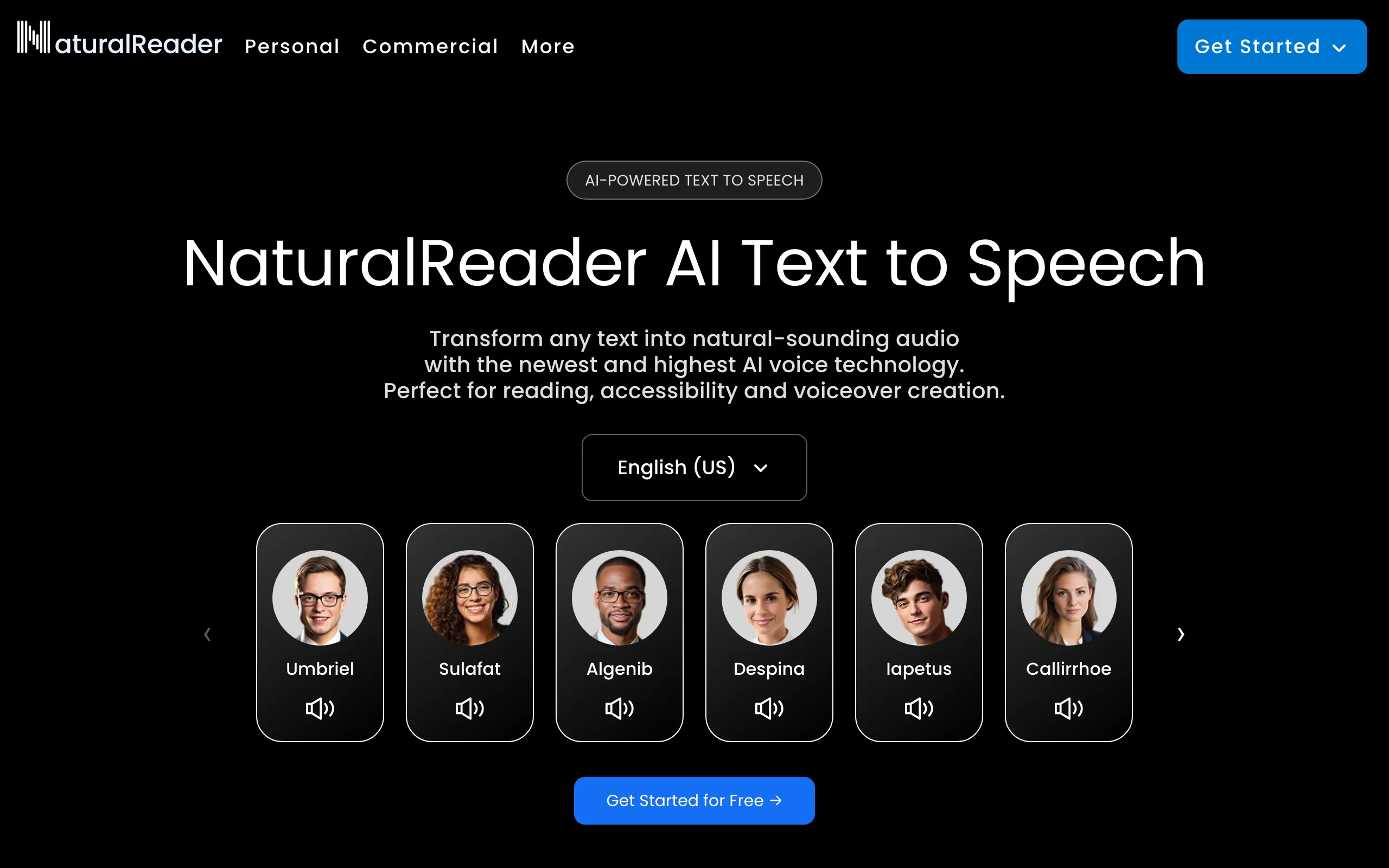
NaturalReader is the reliable old hand. It has done text-to-speech for over a decade and never tries to be flashy. These days it runs other companies' engines (Gemini, OpenAI, Azure and ElevenLabs voices) behind one familiar interface, with 99+ languages and prompt-based delivery control. The free plan is free forever, no card. The fine print matters more than usual here: every Personal plan, even the ones with cloning, is for personal use only.
Key Features
Free-forever plan, no credit card
Voices from Gemini, OpenAI, Azure and ElevenLabs engines under one roof
Personal Lite: unlimited listening with Lite voices plus 1M MP3 characters a month, OCR included
Personal Plus and Pro: 500K characters a day of premium listening, clone up to 2 voices (personal use)
Reading Styles with Pro voices
A separate Commercial app for audio you publish
Pricing
Free-forever plan. Personal Lite $13.90/mo or $79/yr. Personal Plus $20.90/mo or $119/yr (2 voice clones, 1M MP3 chars/mo with Plus voices). Personal Pro $25.90/mo or $159/yr (Pro voices, Reading Styles). All Personal plans are personal use only. Commercial plans (secondary sources): Starter $29/mo (500K credits), Creator $49/mo (2M credits), Team $33/user/mo. EDU plans are billed yearly, from $299.
Ease of Use & UI
4.2/5 — Easy
Paste, pick, play. The Chrome extension and mobile apps are handy, and OCR copes with scanned pages. The desktop app looks its age. The real learning curve is the pricing page.
Pros
Free-forever plan without a card
Several big voice engines in one app
Plus at $119/yr is cheap for personal listening and MP3s
Cons
Personal plans can't be used commercially; publishing means a second app and a second bill
Delivery control is prompt-based, and emotion lags the AI-first studios
Four Personal tiers plus Commercial and EDU make pricing a puzzle
Verdict
Great for listening to your own documents and making MP3s for yourself. The moment the audio is for an audience, NaturalReader asks you to switch products and pay again. A studio built for publishing is usually the better deal.
Lovo Inc. filed Chapter 7 bankruptcy on May 27, 2026. That is liquidation, not reorganization, and it came during the Lehrman voice-actors lawsuit, which is now stayed. As of July 2026 the website was still live and still selling subscriptions with no bankruptcy notice, and paying users reported being locked out of their accounts. Whatever the video-plus-voice suite once offered, do not start a new subscription now, and do not prepay a year.
Key Features
Chapter 7 liquidation filed May 27, 2026: wind-down, not reorganization
Lehrman v. Lovo voice-actors lawsuit stayed because of the bankruptcy
Website still selling subscriptions with no bankruptcy notice (as of July 2026)
Paying users reportedly locked out of accounts
Historically: Genny video editor + TTS, 500+ voices across 100+ languages
Pro V2 directable voices added natural-language emotion direction
Pricing
Last listed pricing (April 2026): Basic at $29/mo ($24/mo annual, 2 hrs/month, 2,000-char cap per generation). Pro at $48/mo ($24/mo annual). Pro+ at $149/mo ($75/mo annual). Given the Chapter 7 filing, any purchase, annual prepay especially, is at risk.
Pros
Historically a strong video + voice combo for social creators
Massive language support (100+)
Pro V2 voices added real emotion direction
Cons
In Chapter 7 liquidation since May 2026: avoid new subscriptions
Site kept charging customers with no bankruptcy disclosure
Users reportedly locked out of paid accounts
Verdict
Avoid. Lovo Inc. is in Chapter 7 liquidation while its site sold subscriptions as if nothing happened. If you're an existing LOVO user, export what you can and move on. Notevibes and Murf cover the voice-for-video work it used to do.
OpenAI's TTS is a sharp tool with no handle. The API is excellent: gpt-4o-mini-tts takes plain-English direction like "sound like a patient support agent," and tts-1 costs $15 per million characters. What OpenAI shipped in September was not a new TTS model but GPT-Live 1, a full-duplex realtime voice model at $0.05 a minute, aimed at voice agents rather than narration. There is still no production editor. If you write code, it's a joy. If you don't, it's a wall.
Key Features
gpt-4o-mini-tts: delivery steered with natural-language instructions
tts-1 ($15/1M chars) and tts-1-hd ($30/1M chars) classic models
13 built-in voices, including Marin and Cedar
GPT-Live 1 (GA Sept 10, 2026): full-duplex realtime voice at $0.05/min with 12 built-in voices
gpt-realtime-2.1 family for production voice agents
OpenAI.fm playground for trying voices and style prompts
Pricing
Pay-as-you-go, no free API tier. tts-1 $15 per 1M characters. tts-1-hd $30 per 1M. gpt-4o-mini-tts $0.60 per 1M text input tokens plus $12 per 1M audio output tokens (about $0.015/min). GPT-Live 1 sessions $0.05/min, billed per second, with model and tool usage charged separately.
Ease of Use & UI
2/5 — Developer Only
One endpoint, clean SDKs, a few lines of code to first audio. OpenAI.fm lets you hear the voices without code. Everything past that is programming, and request caps mean you chunk long scripts yourself.
Pros
Style steering in plain English
One endpoint, minimal setup, great docs
Pay per use, no subscription
Cons
No editor: OpenAI.fm is a demo, not a studio
A small set of preset voices; custom voices are sales-gated
Long scripts have to be split by you
Verdict
For developers adding a voice to an app, OpenAI is the quickest path from idea to working audio. For anyone making content by hand, it's the wrong tool.
Polly is the TTS you choose because your company already runs on AWS. It is boring the way infrastructure should be. Just read the price list closely. The $4 per million characters buys Standard voices, which sound like a GPS from 2012. Neural costs $16, Generative $30 and Long-form $100. The Generative engine picked up 10 new voices and a Bidirectional Streaming API in March. Nothing new since.
Key Features
Four engines: Standard, Neural, Generative and Long-form
Generative engine: 10 new voices and a Bidirectional Streaming API (March 2026)
Full SSML plus speech marks for lip-sync and subtitles
Newscaster speaking style on select Neural voices
Cached and replayed speech is not billed again
Tight AWS integration: Lambda, S3, IAM
Pricing
Pay-as-you-go. Standard $4 per 1M chars, Neural $16, Generative $30, Long-form $100. Free tier: 5M Standard chars a month; for the first 12 months also 1M Neural, 500K Long-form and 100K Generative chars a month. New AWS customers get up to $200 in credits. Brand Voice (custom) through AWS sales.
Ease of Use & UI
2/5 — Technical
Before you hear a word, you'll create an AWS account, set up IAM users, manage keys and configure billing. The console has a small demo, but real use means API calls and hand-written SSML. If your team already lives in AWS, it slots right in. Everyone else should look elsewhere.
Pros
AWS-grade reliability
Generous free tier for Standard voices
SSML and speech marks for developers
Replays of cached audio cost nothing
Cons
The headline $4 rate buys the robotic voices
Voices lag the expressive leaders
AWS account, IAM and billing before your first word
Verdict
Right for AWS teams that need speech inside a product at scale. Wrong for anyone who wants a voice that moves people.
Google went from dependable to exciting in September. Gemini 3.8 Flash TTS and Flash-Lite TTS arrived in preview on September 23 with 2,000+ voices, 100+ languages, voices you describe in text, and cloning from a 30-second authorized sample. Reports say it topped Hume's VoiceEQ leaderboard. Preview pricing is low ($9 per million audio output tokens on Flash, about $0.81 per hour of speech) but it doubles on January 1, 2027. The legacy catalog is still there, including WaveNet at $4 per million characters. Disclosure: Notevibes' Natural voices are built on Gemini 3.8.
Key Features
Gemini 3.8 Flash TTS and Flash-Lite TTS (preview, Sept 23, 2026): 2,000+ voices, 100+ languages
Voices from a text description; cloning from a 30-second authorized sample
Legacy tiers: Standard and WaveNet $4/1M, Neural2 and Polyglot $16/1M, Chirp 3 HD $30/1M, Studio $160/1M
Chirp 3 Instant Custom Voice at $60/1M characters
Gemini 3.1 Flash TTS still available with inline audio tags
Monthly free tiers on the legacy voices
Pricing
Pay-as-you-go. Standard and WaveNet $4 per 1M chars (4M free a month, shared). Neural2 and Polyglot $16/1M (1M free). Chirp 3 HD $30/1M (1M free). Studio $160/1M (1M free). Chirp 3 Instant Custom Voice $60/1M (no free tier). Gemini 3.8 Flash TTS: $0.50 per 1M text input and $9 per 1M audio output tokens through Dec 31, 2026, then $1 and $18. Flash-Lite: $0.50 and $6, then $1 and $12. Gemini 3.1 Flash TTS: $1 and $20. No free tier on Gemini TTS.
Ease of Use & UI
2/5 — Technical
You'll set up a Google Cloud project, enable the API, create a service account and manage keys before generating anything. AI Studio and a small demo widget help you hear voices first. After that it's API calls and prompts. Good documentation, but it assumes you know cloud development.
Pros
Gemini 3.8 is among the most expressive voices you can call from an API
Cloning from a 30-second sample at the API level
WaveNet at $4/1M with a free monthly allowance
Free tiers that reset every month
Cons
Preview pricing doubles on Jan 1, 2027
All direction is prompt and API work; there is no editor
Google Cloud project, billing and keys before anything plays
Verdict
If you build software and want frontier voices by the token, Gemini 3.8 is the API to try first right now. If you want to make content without code, you'll want a studio on top of it.
Azure has the deepest bench: 500+ neural voices across 140+ languages and locales, speaking styles, and a serious custom-voice program. Standard Neural and Neural HD Flash cost $15 per million characters, with an ongoing free tier of 500K a month. Custom Neural Voice is real enterprise kit ($24 per million to synthesize, $52 per compute hour to train, $4.04 an hour to host) and needs Limited Access approval. MAI-Voice-2 is in preview but not on the pricing page yet. It's all excellent. Getting to it means the Azure portal.
Key Features
500+ neural voices across 140+ languages and locales
Speaking styles and roles on many neural voices
Neural HD Flash at the standard $15/1M rate
Custom Neural Voice: $24/1M standard and $48/1M HD synthesis (Limited Access)
Personal Voice: free voice creation for approved use cases
Voice Live API for speech-to-speech agents; avatars at $0.50/min
Pricing
Pay-as-you-go. Standard Neural and Neural HD Flash $15 per 1M chars; commitment tier $960 per 80M chars. Custom Neural Voice: synthesis $24/1M ($48/1M HD), training $52 per compute hour (up to $936), hosting $4.04 per model per hour. Free tier (F0): 500K characters a month.
Ease of Use & UI
1.8/5 — Steep Learning Curve
Create an Azure account, set up a Speech resource, manage keys, and find your way around a portal designed for people who enjoy configuring things. Speech Studio lets you test voices before committing. Styles and SSML then take real documentation time. The steepest setup on this list, by a wide margin.
Pros
The widest language and locale coverage here
Speaking styles give real control over delivery
A free 500K characters every month
Enterprise compliance and Microsoft integration
Cons
The portal is the steepest setup on this list
Custom voice needs approval and a real budget
No content editor beyond Speech Studio
Verdict
For a global enterprise with an Azure contract and engineers, nothing here goes deeper. Everyone else will spend the first afternoon in configuration screens.
Hume is a research lab that sells an API. Octave 2 generates speech that reacts to what the words mean, and EVI handles live speech-to-speech for voice agents. Cloning is unlimited on every plan, even the free one. The company lost its founding research team to Google DeepMind earlier this year and carries on under new leadership; nothing new launched in September. It's fascinating to test. It is not built for someone who just wants to publish a voiceover.
Key Features
Octave 2 expressive TTS, with Octave 1 still available
EVI 3 and EVI 4 Mini for real-time speech-to-speech agents
Unlimited voice cloning on every plan, including Free
Prompt-based voice design
Web playground for Octave and EVI without code
Enterprise: SOC 2 Type II, GDPR and HIPAA
Pricing
Free: 10K TTS chars/mo and 5 EVI minutes. Starter $3 for the first month (promo; regular price not shown): 30K chars. Creator $14/mo ($7 first month): 140K chars. Pro $70/mo: 1M chars. Scale $200/mo: 3.3M. Business $500/mo: 10M, unlimited seats. Enterprise custom. No annual pricing.
Ease of Use & UI
2.5/5 — Developer-Oriented
The web playground for Octave and EVI is friendlier than most API-only tools. Past that, this is a research platform and most features need code. The docs are solid if you're technical. If you want to paste text and get a file, this isn't where you do it.
Pros
Unlimited cloning, even on the free plan
Expressive, research-grade speech
A playground that lets non-coders try it
Cons
API-first, with no content production editor
11 languages on Octave 2 (vendor claim)
The pricing page doesn't make clear which tier first includes a commercial license
Verdict
Building a voice agent that needs to sound like it understands the person on the other end? Hume is worth a weekend. Making podcasts or audiobooks? Wrong shop.
WellSaid makes some of the cleanest English voices you can buy, built from licensed recordings of contracted voice actors. Listen once and you hear the polish. The trade-offs are just as clear. Self-serve plans are English-only, downloads are metered by the minute, and custom voices exist only on Enterprise. Starter is $19 for 20 download minutes a month.
Key Features
Voice avatars built from licensed voice-actor recordings
AI Director for emotional direction and inflection
Multi-voice scripts and pronunciation control
Pro: 180 download minutes a month and unlimited projects
Developer API for apps, LMS and IVR
Enterprise: more languages and custom voices
Pricing
Free trial: 3 download minutes/mo, 10 minutes of generation, 3 projects, no commercial rights. Starter $19/mo ($10/mo annual, $120/yr): 20 download min/mo. Pro $49/mo ($33/mo annual, $396/yr): 180 min/mo, unlimited projects. Business $160/user/mo billed annually, up to 5 seats. Enterprise: custom, with custom voices.
Ease of Use & UI
3.5/5 — Clean but Limited
One of the best-looking interfaces here. Picking a voice and generating is straightforward, and the free trial includes real downloads, so you can judge it properly. The limits live at the edges: English-only until Enterprise, and download minutes you'll find yourself rationing.
Pros
Polished, ethically sourced English voices
A clean, quiet studio interface
A real free trial you can download from
Cons
English-only below Enterprise
20 download minutes a month on Starter
Custom voices only through Enterprise
Verdict
Right for an English-language training team that values polish over volume. Wrong for anyone who needs hours of audio, other languages, or their own voice.
Resemble now reads more like a security company than a voice studio. Its pricing page is all deepfake detection: Flex pay-as-you-go, Team at $350 a month, Business at $1,000. The voice heritage lives on in Chatterbox, its open-source cloning model, with a multilingual version covering 23+ languages. Developers who want to self-host cloning will find a lot to like. Creators looking for an editor will find nothing.
Key Features
Chatterbox: open-source zero-shot voice cloning you can self-host
Chatterbox Multilingual: 23+ languages
Deepfake detection for audio, image and video
Watermarking and real-time call detection
API/SDK-first, with on-prem deployment on Enterprise
Team plan with 5 seats; Business with 20 seats and SSO
Pricing
The pricing page now lists detection plans only. Flex: pay-as-you-go, $0 base (audio detection $0.035/sec). Team $350/mo ($280/mo annual), 5 seats. Business $1,000/mo ($800/mo annual), 20 seats, SSO. Enterprise: custom, with on-prem and model training. TTS and cloning rates are not on the page; third-party figures put managed TTS around $0.03/min.
Ease of Use & UI
2.8/5 — Developer-Focused
The dashboard for managing voices is friendlier than a raw API, and Flex starts at $0 with no commitment. Beyond that it is a developer platform. No import tools, no presets, no podcast features.
Pros
Open-source cloning you can run yourself
Serious deepfake detection and watermarking
On-prem option for enterprises
Cons
TTS pricing is no longer published
Company focus has moved to detection
No content-creation editor
Verdict
Pick Resemble to protect a brand from voice fakes, or to self-host cloning with Chatterbox. Don't pick it to make content.
Luvvoice is a text box and a download button, and it's honest about that. Paste, pick one of 200+ voices in 70+ languages, get an MP3. It has grown quietly (custom-voice credits, file upload, ebook-to-audiobook) and the paid plans are cheap. Read the rights carefully: Free and the $8 Lite plan carry no commercial rights.
Key Features
200+ voices across 70+ languages
Free tier: 10K characters a month, files kept 30 days
Custom (cloned) voice credits on paid plans
File upload and ebook-to-audiobook conversion
API access and file transcription on Enterprise
One-time credit packs that never expire
Pricing
Free: 10K chars/mo, no commercial rights. Lite $8/mo: 700K standard + 10K custom credits, no commercial rights. Plus $13/mo: 1.5M standard + 30K custom, commercial rights, priority support. Enterprise $45/mo: 6M standard + 200K custom, API access. One-time packs never expire and include commercial rights.
Ease of Use & UI
4/5 — Simple
Paste text, pick a voice, download the MP3. No account needed to start. The free tier comes with ads and a captcha, which gets old fast. No editor, no SSML, no projects: a text box, a download button, and file upload if you need it.
Pros
Nothing to learn
Large character allowances for the money
Commercial rights from $13/mo
Cons
Voice quality below the premium tools
No emotion tags or SSML
No commercial use on Free or Lite
Verdict
Good for turning an article into something you can listen to on a walk. For anything with an audience, you'll want more control over how it sounds.
Wondercraft has become a video tool that still remembers it started in audio. It now leads with AI video for training, explainers and promos, driven by Wonda, an assistant you edit with by chatting. The podcast generator, TTS and audio ads are still there, with ElevenLabs-powered voices. If your team ships video and audio together, it hangs together nicely. If voice is the whole job, it's one ingredient of many.
Key Features
Wonda: make and edit videos by chatting
AI video studio for training videos, explainers, promos and podcast-to-video
AI podcast generator with word-level delivery control
AI Character Cloning: 1 custom character on Creator, unlimited on Pro
API access from the Creator plan; distribution to Spotify and Apple
Enterprise tier with IP indemnity
Pricing
Free: 150 credits, 720p exports, no commercial rights. Creator $25/mo ($21/mo annual): 1,000 credits, no watermark, commercial rights, API access, 1 custom character. Pro $45/mo ($36/mo annual): 2,000–6,000 credits, 3 users, unlimited custom characters, 4K upscaling. Enterprise: custom, with IP indemnity.
Ease of Use & UI
3.3/5 — Moderate
Guided flows for podcasts and videos get new users moving, and Wonda's chat editing helps. But the product is spread across video, audio, podcasts and avatars, and the UI can feel scattered. The watermarked free plan limits how far you can test.
Pros
Video, audio and podcasts in one place
ElevenLabs-quality voices
Chat-based editing lowers the bar for new users
Cons
Voice is secondary to the video-first workflow
Credit costs per feature are not published
Free exports are watermarked and capped at 720p
Verdict
A good pick for teams that need video and audio from the same tool. If control over the voice is what matters most, a dedicated voice studio will serve you better.
Typecast casts voices instead of listing them. Each of its 700+ voices is a character with its own look and a recorded emotional range, which makes it a joy for animation, games and story videos. Prices came down: Basic is now $5 a month with an instant clone slot, and professional cloning starts on Plus at $19. Minutes are the limit. Basic buys about 35 a month.
Key Features
700+ character voices, each with its own emotional range
Smart and Preset emotion modes
Instant cloning from Basic; professional cloning from Plus
Picking voices is fun: each character has a face and a personality. The scene editor handles dialogue well. Tying emotions to characters keeps things simple but stops you mixing freely. The free credits are a one-time 5 minutes, enough to try one character.
Pros
Casting a character is genuinely fun
Cloning from the $5 plan
Emotions tuned per character
Cons
About 35 minutes a month on Basic
Emotions belong to characters, not to every voice
Free credits are lifetime, not monthly, and need attribution
Verdict
Great for short creative work where every voice is a role. For long narration, the minute counts push you up the ladder fast.
Listnr wins on paper: 1,000+ voices, 142+ languages, podcast hosting built in. In practice, users report multi-day outages and very slow support, which is hard to forgive in a production tool. Its pricing page also says there is no voice cloning on any plan. When it's up, the language coverage is impressive.
Key Features
1,000+ AI voices across 142+ languages and accents
Built-in podcast hosting with RSS distribution
SSML plus speech-style and pronunciation controls
Text-to-video with AI avatars, speech-to-text and an API
Commercial usage rights on paid plans
No voice cloning on any plan
Pricing
Free: 1,000 credits to start, no card. Individual $19/mo ($190/yr): 20K credits (~2 hrs), 50 videos. Solo $39/mo ($390/yr): 50K credits (~5 hrs). Agency $99/mo ($990/yr): 250K credits (~25 hrs). Custom Enterprise. No cloning on any tier.
Ease of Use & UI
3.5/5 — Moderate
Basic generation works fine, and the podcast hosting is a nice touch. Outages and premium voices that fail mid-generation (while still using credits) undermine the rest. Emotion controls are basic.
Pros
Some of the widest language coverage here (142+)
Podcast hosting and RSS in the same tool
Commercial rights from $19/mo
Cons
Reported multi-day outages
Very slow support
No voice cloning
Brand names and technical terms often mispronounced
Verdict
The language list and podcast hosting are a strong pairing. But we can't recommend it for production work while users report days-long outages and slow support.
SpeechGen is the bulk converter. No subscription, just packs of credits that last a year, and very long texts in one go. Standard, Pro and HD voices burn credits at different rates, and the API comes with every pack. Quality sits a step behind the AI-first studios. When the job is "convert a lot of text cheaply," that's a fair trade.
Key Features
5,000+ voices in 150+ languages (counting variants)
Multi-voice dialogue mode for audiobooks and podcasts
Very long texts in a single generation
SSML plus named speaking styles
API access with every pack
Credits valid a year and carried over when you top up
Pricing
Credit packs, no subscription: 25K credits €4.99 (~60 min), 65K €9.99 (~155 min), 200K €24.99 (~476 min), 500K €49.99 (~1,190 min), 2M €149.99, 10M €599.99. One credit = 2 Standard characters, 1 Pro character or 0.5 HD character. Credits are valid 1 year and carry over on renewal. Commercial use included.
Ease of Use & UI
3/5 — Functional
Paste, pick, generate. Dialogue mode needs its own markup, and SSML adds work if you want fine control. Choosing between Standard, Pro and HD (each burning credits at its own rate) takes trial and error. It's a converter, not a studio.
Pros
No subscription lock-in
Handles very long texts
Multi-voice mode for multi-character content
Commercial use included
Cons
Voice quality below modern AI standards
Speaking styles are limited next to tag-based emotion
HD voices burn credits 4x faster than Standard
Verdict
The cheapest way to turn a lot of text into audio without a subscription. Quality won't impress anyone, but if the math matters more than the polish, SpeechGen gets it done.
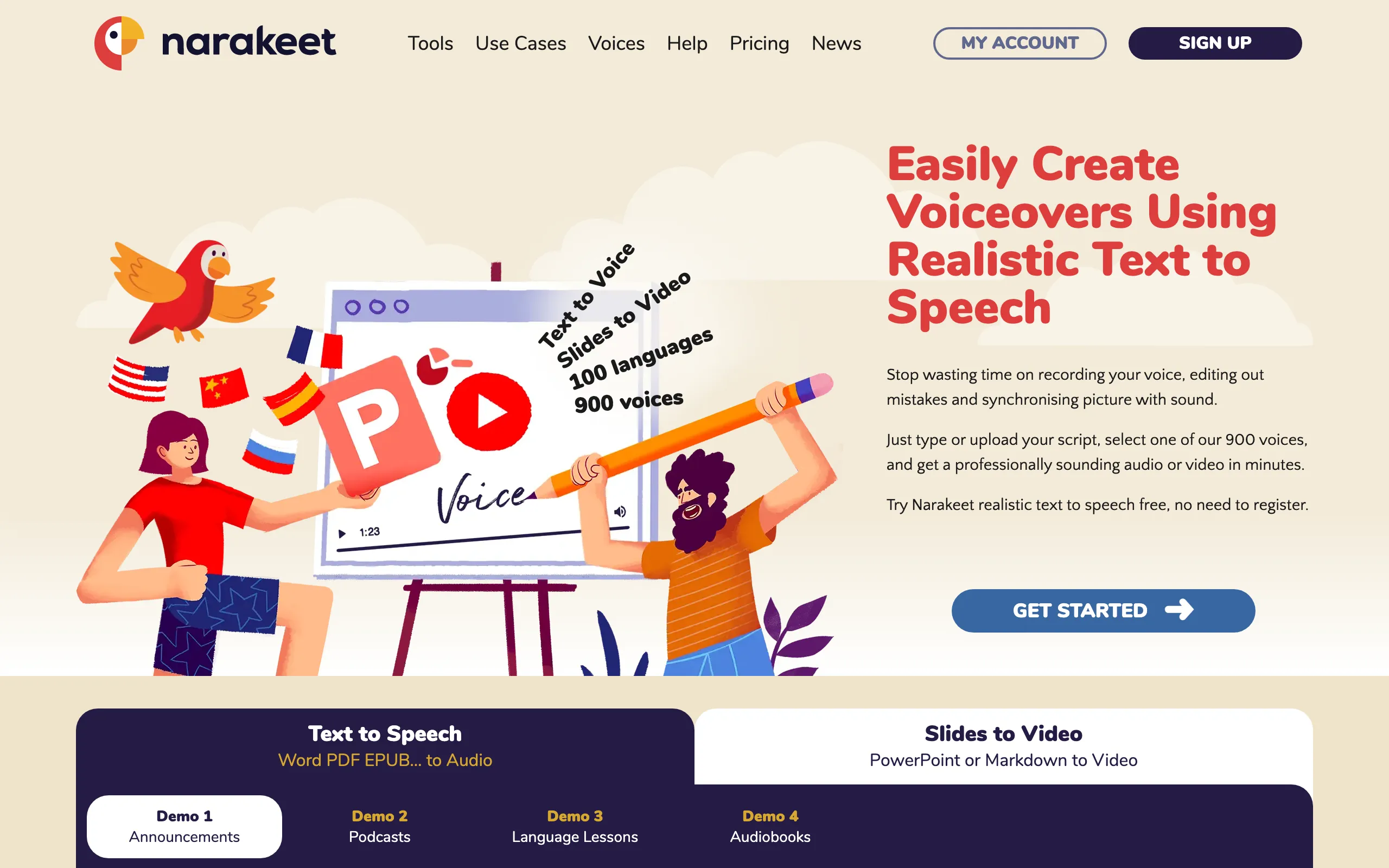
Narakeet does one job and does it better than anyone: turning a slide deck into a narrated video. Upload PowerPoint, Google Slides or Keynote, write speaker notes, and get a video with voiceover and subtitles. 900 voices in 100 languages. You buy minutes in packs that never expire, billed per second. Outside slides, it feels boxed in.
Key Features
900 voices across 100 languages
PowerPoint, Google Slides and Keynote to narrated video
Speech-to-text with subtitle export
SSML for pitch, speed and pauses
Automatic subtitles and captions
API and CLI for automation once you buy a pack
Pricing
Pay-as-you-go packs, no subscription. 30 min for $6 ($0.20/min). 300 min for $45 ($0.15/min). 1,000 min for $100 ($0.10/min). 2,500 min for $200 ($0.08/min). 10,000 min for $500 ($0.05/min). Credits never expire and are billed per second. Free tier: 20 conversions, non-commercial. Any pack makes the account commercial, with API, SSML and batch.
Ease of Use & UI
3.8/5 — Easy for Slides
For slides: upload, add speaker notes, generate. Refreshingly simple. For general TTS the workflow feels boxed in, and emotion uses a bracket notation you have to look up. No rich editor, and no import beyond presentations.
Pros
The best slides-to-narrated-video workflow
No subscription; pay only for what you use
Large voice library across 100 languages
API and CLI for automation
Cons
Little emotion or tone control
Voices can sound noticeably synthetic
Free tier is non-commercial
Not a general-purpose voice editor
Verdict
The best tool for turning presentations into narrated videos, hands down. For everything else, you'll want a tool built for everything else.
Voicemaker packs the most features for the least money on this list, wrapped in an interface that hasn't changed in years. The $5 Starter plan gives 200K credits, about four hours, plus five clone slots. Creator doubles the credits for $10. The ProPlus Expressive engine takes style direction and sounds much better than the defaults, but it burns 4 credits per character. Expect some trial and error before you find the engine you like.
Key Features
500+ Pro voices plus 1,000+ default voices; 140 languages on paid plans
ProPlus Expressive engine for directed delivery (4 credits per character)
Voice cloning on every paid plan: 5, 10 or 20 slots
Free plan: 25K credits a month (~1 h), personal use
Teams and Business plans with seats
Annual Audiobook & Podcast plan: 1M credits a year, 100K chars per conversion
Pricing
Free: 25K credits/mo (~1 h), 250 chars per conversion, personal use only. Starter $5/mo ($50/yr): 200K credits (~4 h), 5 clones. Creator $10/mo ($100/yr): 400K credits, 10 clones. Pro $24/mo ($240/yr): 1M credits (~18 h), 20 clones, 1-month rollover. Teams $49/mo (2M credits). Business $109/mo (5M credits). Top-ups $20 per 1M credits. The Expressive engine bills 4 credits per character.
Ease of Use & UI
3.5/5 — Functional
Everything sits on one page: voices, emotion controls, SSML. No hunting through menus. The confusing part is choosing an engine and knowing what it costs in credits. The free plan's 25K monthly credits are fair for testing.
Pros
Cloning on every paid plan from $5
Big credit allowances for the price
The Expressive engine is a real step up
A free plan generous enough to test properly
Cons
Dated interface
Expressive burns credits 4x
Free plan is personal use only
Verdict
If budget decides, Voicemaker gives you more knobs per dollar than anything here. You pay for it in time spent learning engine tiers and living with an old UI.
Depends on the job. ElevenLabs sounds the most human, and v4 (Sept 28) pushed it further. Notevibes is the pick if you want finished audio without the busywork: tell Noty what you're making and it produces the podcast, audiobook or narrated deck. Murf is the choice when the voice lives inside a video. Developers should start with Google's Gemini 3.8 TTS or OpenAI.
Are there any free AI voice generators?
Yes, with limits worth reading. Notevibes has a free plan with no card and no watermark, plus 90+ free voices you can try without signing up. ElevenLabs gives 10K credits a month, Hume 10K characters, Voicemaker 25K credits. NaturalReader has a free-forever plan. Cloud APIs have monthly free tiers if you can code. Most free plans exclude commercial use.
What is the most realistic AI voice?
ElevenLabs, still. v4 is its most expressive model yet. Google's Gemini 3.8 (Sept 23) is the new challenger and reportedly topped Hume's VoiceEQ leaderboard; Notevibes' Natural voices run on it. Speechify claims the top Artificial Analysis spot for Simba 3.2. Leaderboard claims are vendor-reported, so listen for yourself.
Can I use AI voices for commercial projects?
Usually on paid plans, but where rights start varies a lot. ElevenLabs includes them from the $6 Starter plan. Notevibes includes full commercial rights on every paid plan (from $9/mo); the Free plan is personal use only. Murf's Creator plan has commercial rights, but the business license starts on Business. NaturalReader's Personal plans never allow it. Check the plan, not the brand.
How much do AI voice generators cost?
From free to $990+ a month. Notevibes Creator is $19 for about 10 hours of audio a month; Pro is $49 for about 30 hours plus unlimited cloned voices (both at the introductory rate through Dec 31, 2026). ElevenLabs starts at $6 for about 30 minutes. Cloud APIs charge $15–16 per million characters for neural voices, and Gemini 3.8 Flash TTS works out to about $0.81 per hour of speech during preview.
Which AI voice generator is best for YouTube videos?
Notevibes if you want Noty to turn your script or notes into a directed voiceover, then make the next one in the same voice. On any paid plan, that voice can be your own clone. Murf if you edit video and voice together. ElevenLabs if realism matters most and the budget is flexible.
What happened to Play.ht?
Meta acquired Play.ht in July 2025 and shut it down permanently on December 31, 2025. All accounts, audio files and API access are gone, and the play.ht domain no longer resolves. Watch out for playhtai.com: it's an unaffiliated copycat, not a revival. If you were a Play.ht user, Notevibes and ElevenLabs are the closest replacements. We wrote a migration guide to help.
Which AI voice generator is best for audiobooks?
Notevibes and ElevenLabs, for different reasons. Notevibes finds the characters, gives each one a voice and splits the chapters for you; Pro adds 80+ emotion tags and EPUB import, with about 30 hours of audio a month for $49. ElevenLabs has the most realistic voices and a dedicated long-form studio. For volume and convenience, Notevibes. For pure realism, ElevenLabs.
What is the best affordable AI voice generator for creators?
Notevibes Creator at $19/mo: about 10 hours of audio a month, with Noty producing podcasts, audiobooks, narrated decks and songs. Every paid plan includes commercial rights and cloning, and Pro at $49 adds unlimited cloned voices. Voicemaker is the budget pick at $5 for about four hours. ElevenLabs' $6 plan buys about 30 minutes.
Which AI voice generators offer the best voice cloning?
ElevenLabs is the benchmark: instant cloning from $6, professional from $22. Google's Gemini 3.8 now clones from a 30-second authorized sample through the API. Notevibes clones on every paid plan (one voice, unlimited on Pro $49) from a 10–30 second sample plus a spoken consent line; the clone is private by default and Noty can cast it as narrator, podcast host or character. Typecast and Voicemaker include cloning from $5. With voice-clone scams in the news in September, consent checks matter.
What is the best AI voice generator for character voices and storytelling?
Notevibes: Noty detects the characters in your story and gives each one its own voice, and on Pro you can direct every line with emotion tags. Typecast is great for casting cartoon-style roles. ElevenLabs' Voice Design invents new characters from a description.
Can AI voice generators be used for professional dubbing and voiceovers?
Yes. ElevenLabs includes a dubbing studio from its Starter plan. Murf syncs voiceover to video on a timeline. Notevibes covers 130+ languages and translates audio in the same chat. For enterprise custom voices, look at Azure Custom Neural Voice and WellSaid's Enterprise plan.
Your script to studio audio in 5 minutes
Tell Noty what you're making. Hand over the script, the PDF or just the topic. Listen, ask for changes, download. Free to start: no card, no watermark.