Ten tools, two of them already gone. We compared how real each clone sounds, how much audio it needs, what it costs, and how seriously it takes consent. Then we said who should skip it.
Last updated: October 2026
Quick Answer
ElevenLabs still makes the most convincing clone, from $6/mo, and Eleven v4 just raised the bar. Fish Audio is the best clone for the money ($15/mo, and the free plan clones too). Resemble AI is for security teams that need to make and detect synthetic voices. Notevibes is the pick if you want the work done, not just the voice: Noty turns a script into narration, a podcast or a deck in your cloned voice (from Creator, $19/mo).
What Changed — October 2026 Update
•Notevibes (Sept 30, 2026): voice cloning and commercial rights are on every paid plan (one voice on Starter and Creator), and Pro at $49/mo adds unlimited cloned voices, 80+ emotion tags and API access. One plan covers a clone you can sell with.
•ElevenLabs (Sept 28, 2026): launched Eleven v4 and v4 Turbo, with more expression control, 90+ languages and cloning from about 10 seconds. API v4 is 72% off and Creator+ gets 3x credits until Oct 12, so test now but budget on list prices.
•Voice actors vs. AI clones (Sept 27, 2026): a Japanese anime voice actor sued TikTok over videos using an AI clone of his voice. Cloning without consent now carries real legal risk for publishers, not just platforms.
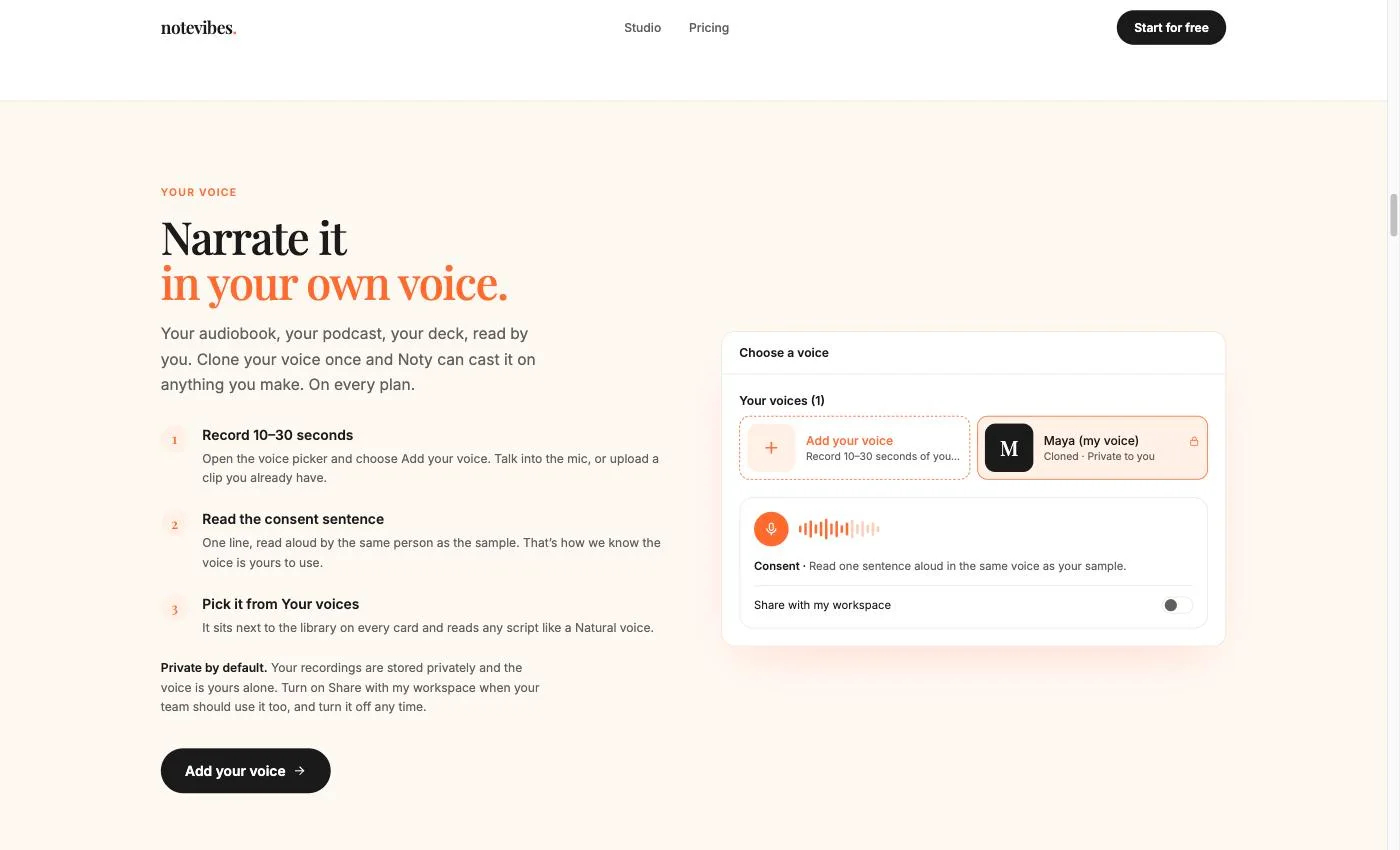
•Notevibes (Sept 24, 2026): launched voice cloning. Record or upload 10–30 seconds, read one consent sentence, and get a private clone Noty can cast anywhere (Pro). It arrived alongside the new Natural voices, part of a 2,600+ voice library.
•Google (Sept 23, 2026): released Gemini 3.8 Flash TTS and Flash-Lite TTS in preview, with voice replication from a 30-second authorized sample. Preview prices double on Jan 1, 2027, so developers should plan for it.
•Fish Audio (Sept 23, 2026): previewed Drama 3 for editing delivery line by line, then added speaker and emotion labels to transcribe-1-pro (Sept 28). The low-cost option keeps closing the gap.
•Voice-clone scams (Sept 8, 2026): security researchers warned about cloned voices impersonating children to extort families. Consent checks are no longer a nice-to-have when you pick a tool.
•China (Sept 7, 2026): the Supreme People's Court issued its first rules on AI disputes, covering unauthorized voice cloning with civil liability. Another sign that consent is becoming law, not etiquette.
How much audio each tool needs, what kind of clone you get, and what stops someone from cloning a voice that isn't theirs.
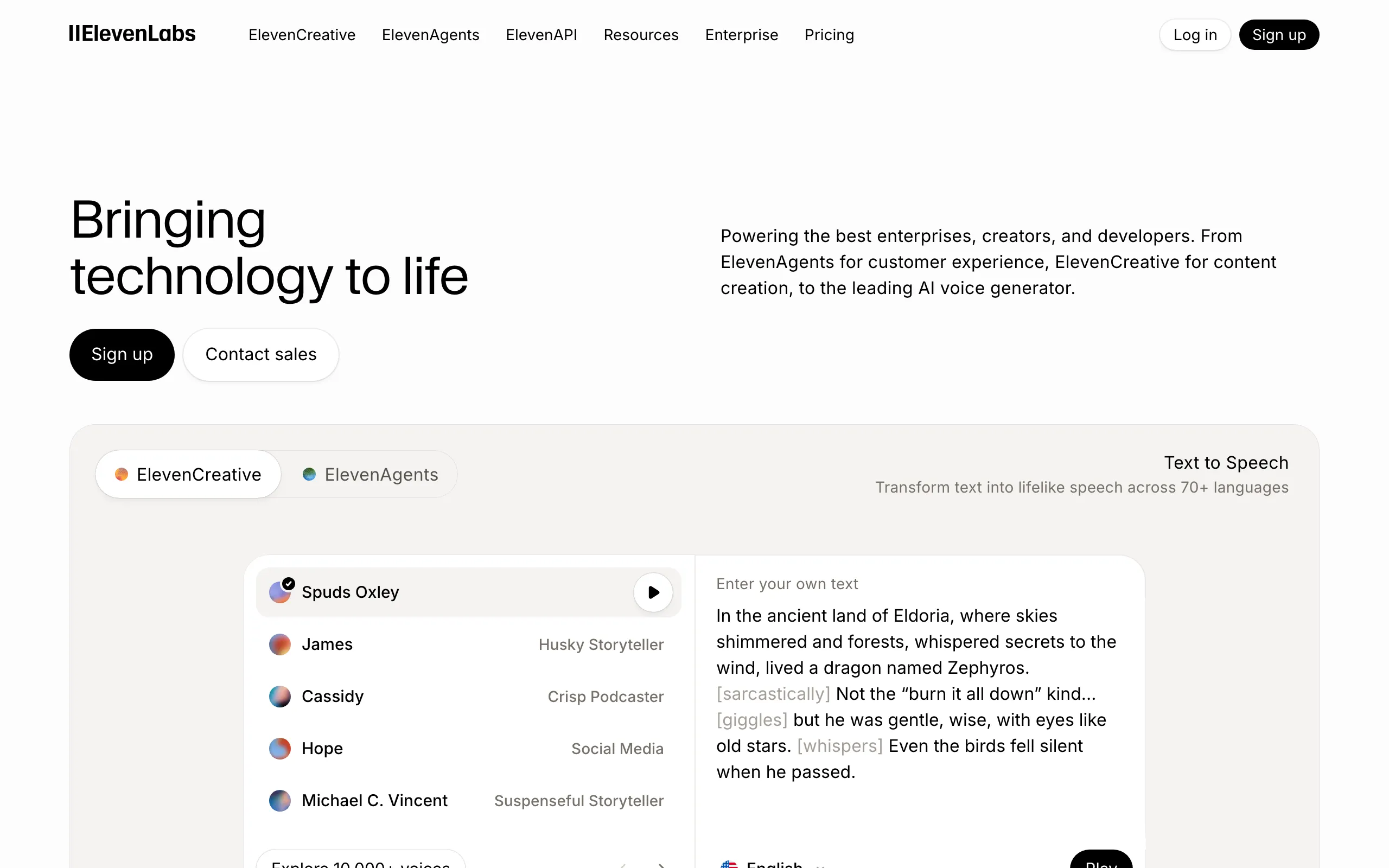
ElevenLabs
Min Audio: ~10 sec / 30 min
Type: Instant + Pro
Cross-language
Real-time
API
Security: Consent verification
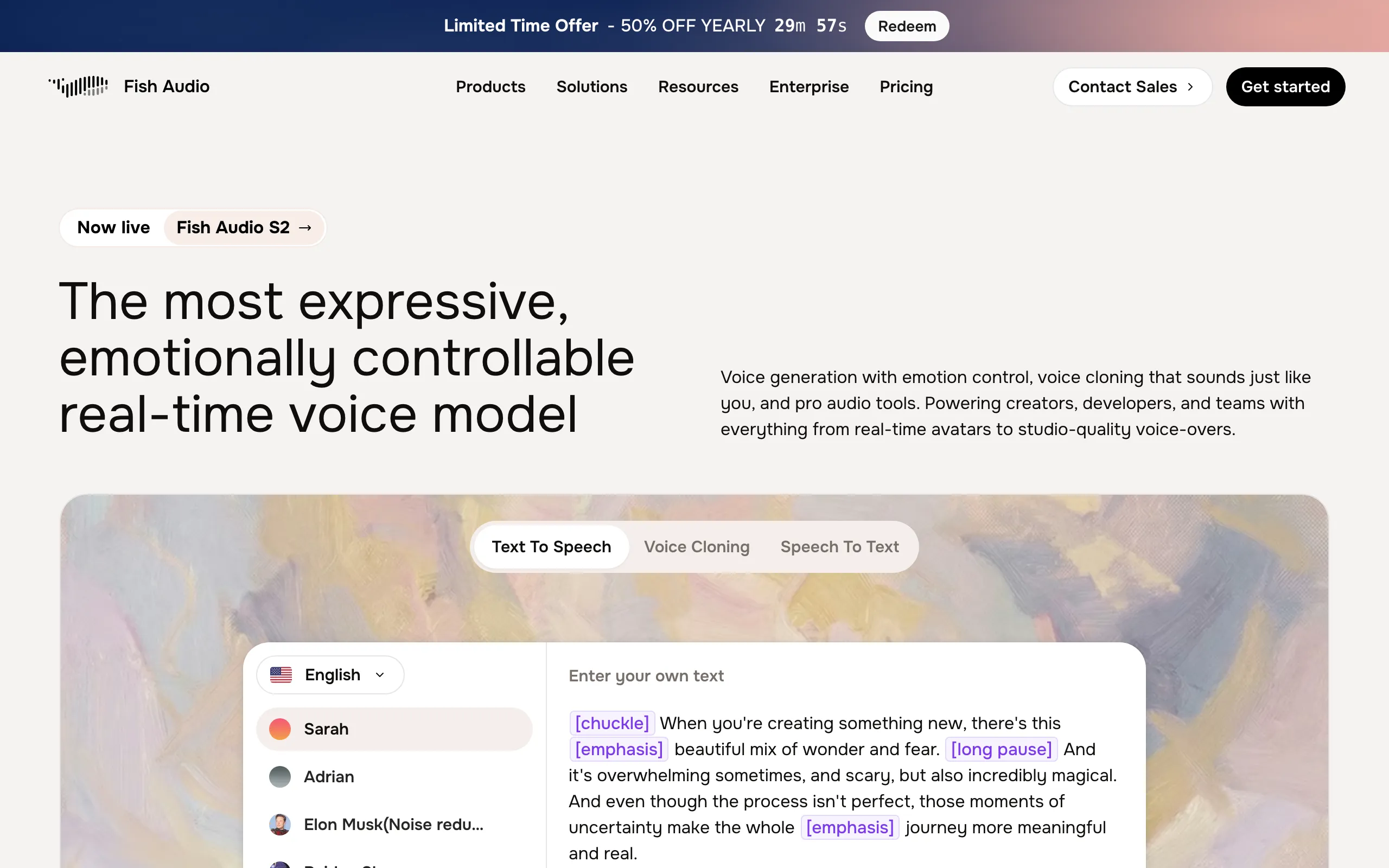
Fish Audio
Min Audio: 10-30 sec
Type: Zero-shot (S2.1 Pro)
Cross-language
Real-time
API
Security: Basic
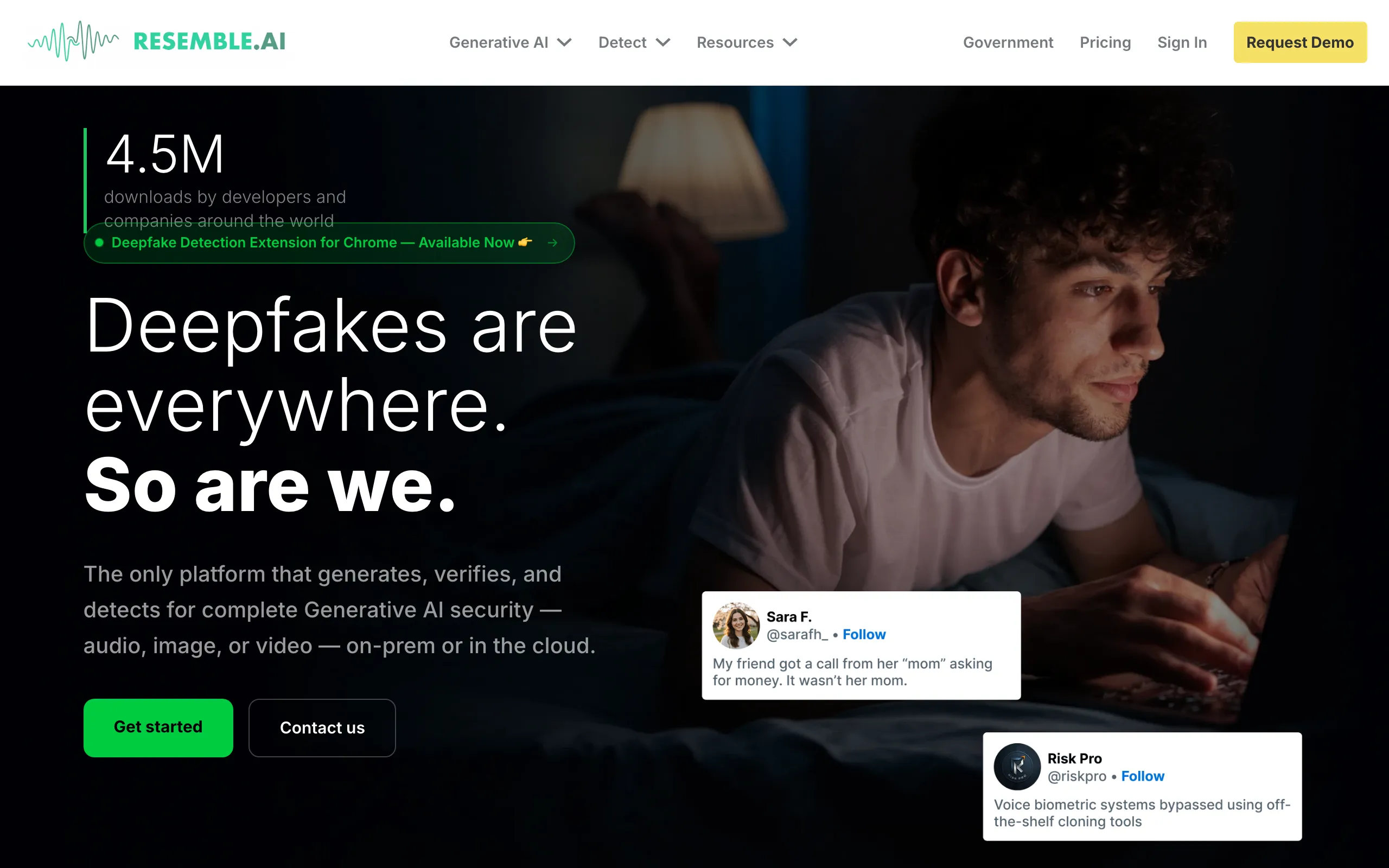
Resemble AI
Min Audio: ~5 sec
Type: Rapid (zero-shot) + Pro
Cross-language
Real-time
API
Security: Watermarking, deepfake detection
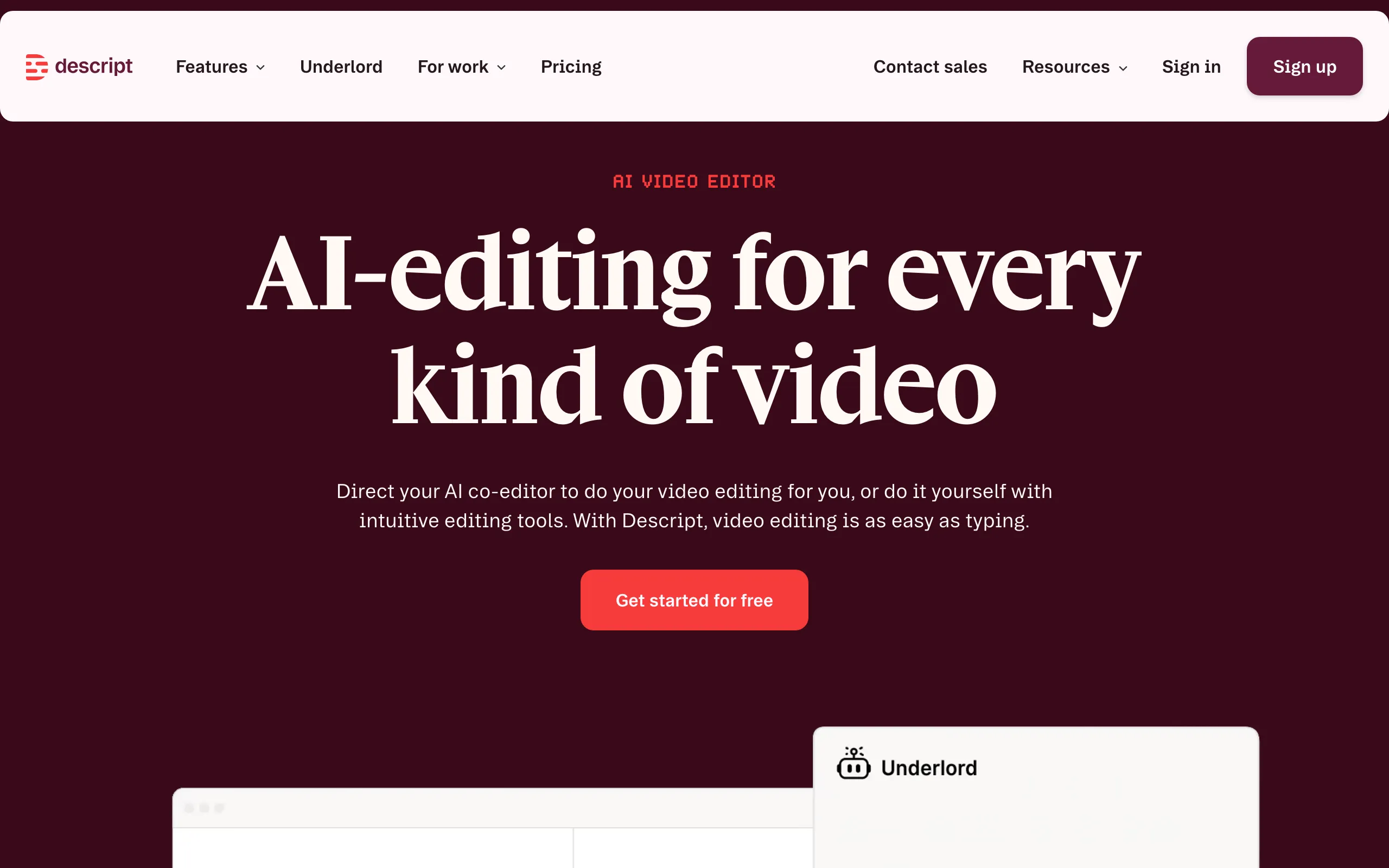
Descript
Min Audio: ~60 sec
Type: Instant (custom voice)
Cross-language
Real-time
API
Security: Consent recording
Speechify
Min Audio: ~10 sec
Type: Instant (zero-shot)
Cross-language
Real-time
API
Security: Basic
Murf AI
Min Audio: Set with Murf's team
Type: Enterprise-only
Cross-language
Real-time
API
Security: SOC 2 Type II, ISO 27001, HIPAA
Rask AI
Min Audio: From video
Type: Automatic
Cross-language
Real-time
API
Security: Basic
Kukarella
Min Audio: Not published
Type: Instant
Cross-language
Real-time
API
Security: Basic
Notevibes
Min Audio: 10-30 sec
Type: Instant (every paid plan)
Cross-language
Real-time
API
Security: Spoken consent sentence, private by default
Tool
Min Audio
Cloning Type
Cross-Language
Real-Time
API
Security
ElevenLabs
~10 sec / 30 min
Instant + Pro
Consent verification
Fish Audio
10-30 sec
Zero-shot (S2.1 Pro)
Basic
Resemble AI
~5 sec
Rapid (zero-shot) + Pro
Watermarking, deepfake detection
Descript
~60 sec
Instant (custom voice)
Consent recording
Speechify
~10 sec
Instant (zero-shot)
Basic
Murf AI
Set with Murf's team
Enterprise-only
SOC 2 Type II, ISO 27001, HIPAA
Rask AI
From video
Automatic
Basic
Kukarella
Not published
Instant
Basic
Notevibes
10-30 sec
Instant (every paid plan)
Spoken consent sentence, private by default
Pick by What You're Making
The best clone depends on the job. Here is what we would use for each one.
Audiobooks
ElevenLabs (PVC)
Professional cloning holds up over hours of narration
Podcasts
Descript
Fix a fluffed line by typing it. No re-recording.
Gaming
ElevenLabs or Fish Audio
Fast APIs and cloned character voices
Enterprise
Resemble AI
Deepfake detection, watermarking and on-prem deployment
Localization
Rask AI
Dubs video into 135+ languages and keeps the speaker's voice
Accessibility
Speechify
The best listening apps; Studio adds cloning from $19/mo
Content Creation
Notevibes
Noty produces the podcast, audiobook or narrated deck, in your cloned voice (from Creator, $19/mo)
How Voice Cloning Actually Works
Three steps, two approaches. No math required.
1. Audio Input
You provide a sample of the target voice — from as little as ~5 seconds (Resemble AI) to 30+ minutes (ElevenLabs Professional). Higher-quality, longer recordings produce better results. Clean audio without background noise is ideal.
2. Model Training
Deep learning models analyze the voice sample to capture unique characteristics: pitch, timbre, cadence, accent, and speech patterns. Instant cloning uses pre-trained models for fast results. Professional cloning fine-tunes a dedicated model for higher accuracy.
3. Voice Synthesis
Once the model is trained, you type any text and the AI generates speech in the cloned voice. Advanced tools support cross-language synthesis (speak other languages in the cloned voice) and real-time generation for interactive applications.
Instant Cloning
Uses pre-trained neural networks to extract voice features from short audio clips (a few seconds to a few minutes). Results are available in seconds but may miss subtle voice characteristics.
Best for: Quick prototyping, personal projects, social media content
Professional Cloning
Fine-tunes a dedicated voice model on 10-60+ minutes of high-quality recordings. Training takes hours but produces near-perfect replicas that capture nuanced speech patterns and emotional range.
Best for: Audiobooks, commercial production, brand voices, enterprise applications
Before You Clone Anyone: The Legal Part
A voice belongs to a person. Here is what the law and the platforms expect from you.
Consent Is Non-Negotiable
Always obtain explicit, written consent from the voice owner before creating a clone. Most reputable tools (ElevenLabs, Resemble AI, Descript) require consent verification as part of the cloning process. Cloning someone's voice without permission is illegal in many jurisdictions and always unethical.
ElevenLabs: Consent verification
Resemble AI: SOC 2 + watermarking
Descript: Consent recording
Current Regulations
EU AI Act: Voice cloning classified as high-risk AI; mandatory disclosure of synthetic media
US (state level): Tennessee ELVIS Act, California AB 2602, and New York laws protect voice likeness
Platform policies: YouTube, TikTok, and Meta require labeling of realistic AI-generated content
China (Sept 2026): Supreme People's Court rules cover unauthorized voice cloning, with civil liability
Risks to Be Aware Of
Identity fraud: Cloned voices used to bypass voice-based authentication
Deepfakes: Realistic impersonation for scams, including fake calls from "your child" built from social media audio (reported Sept 2026)
Non-consensual use: Cloning public figures or deceased persons without authorization
Clone Only What You Have the Right To
Clone your own voice, or a voice you have written permission to use — and when you don't need a specific person's voice, a pre-built voice avoids the consent question entirely. Notevibes handles both. On every paid plan, cloning asks you to read a consent sentence in the same voice before it creates a private clone. On every paid plan, 2,600+ ready-made voices are there when you just want to pick one. Try it free.
The Reviews, One Tool at a Time
#1
ElevenLabs
4.8
Best overall voice cloning quality
If the clone has to pass for you, start here. ElevenLabs shipped Eleven v4 and v4 Turbo on Sept 28, 2026, and its clones are still the bar. Instant cloning comes with every paid plan, from the $6 Starter. Professional Voice Cloning starts on Creator at $22. The catch is the meter. Credits go fast on long projects, and the v4 launch discounts end on Oct 12.
Key Features
Eleven v4 and v4 Turbo (Sept 28, 2026): more expression control, 90+ languages
Instant voice cloning from about 10 seconds of audio
Professional Voice Cloning from Creator: 1 slot on Creator and Pro, 3 on Scale, 10 on Business
Commercial license from the $6 Starter plan
Older models (v3, v2 Multilingual, Flash/Turbo) still available
API pay-as-you-go: v4 at $0.08 per 1K characters list, $0.022 on promo until Oct 12
Pricing
Free: 10K credits/mo, no cloning, no commercial use. Starter: $6/mo ($5 billed yearly), 30K credits, instant cloning, commercial license. Creator: $22/mo ($18.33 yearly; first month $11), 121K credits, Professional Voice Cloning. Pro: $99/mo ($82.50 yearly), 600K credits, 44.1kHz PCM via API. Scale: $299/mo, 1.8M credits, 3 seats. Business: $990/mo, 6M credits, 10 seats. Until Oct 12, 2026: 3x credits on Creator and up, and 72% off v4 in the API.
Voice Clone Quality
5/5 — Industry-leading
Still the clone every other tool gets measured against. Eleven v4 and v4 Turbo arrived on Sept 28, 2026, with more control over expression and 90+ languages. Instant cloning now starts from about 10 seconds of audio. Professional Voice Cloning still wants a proper recording session, and it pays off: pauses, breaths and emphasis come back the way you said them.
Ease of Use & UI
4.5/5 — Very Easy
Record or upload a sample, confirm it is your voice, and an instant clone is ready in minutes. Professional cloning asks for more prep, but the app walks you through it. The interface has grown busy with music, images, video and agents. Cloning is still easy to find.
Pros
The most convincing clones we tested, Professional most of all
Instant cloning and a commercial license for $6
v4 covers 90+ languages
Deep API, from streaming speech to dialogue
Cons
No cloning on the free plan
Credits disappear fast on audiobook-length work
Professional clone slots are scarce: 1 on Creator and Pro
Launch promos end Oct 12, so budget on list prices
Verdict
Pick ElevenLabs when the clone itself is the product: a narrator, a character, a brand voice. Skip it if you mostly need many hours of finished audio on a tight budget. The credit meter will remind you every month.
Fish Audio is the cheapest serious clone on this list. The free plan already clones, and $15 a month buys 250,000 credits, 10 private voice slots and a professional slot. September was busy: S2.1 Pro landed on Runway (Sept 22), Drama 3 went into preview (Sept 23), and transcribe-1-pro started labelling speakers and emotions (Sept 28). The site still feels built by engineers, for engineers. That is fine if you are one.
Key Features
Instant cloning on every plan, including Free
Plus: 10 private voice slots and 1 professional slot
S2.1 Pro model, plus Drama 3 preview for line-level delivery edits
transcribe-1-pro adds speaker and emotion labels (Sept 28, 2026)
API at $15 per 1M UTF-8 bytes of text
Large community voice library
Pricing
Free: 8,000 credits/mo (about 7 min), 500 characters per generation, 3 public voice slots. Plus: $15/mo ($11 billed yearly), 250,000 credits (about 200 min), 10 private slots, 1 professional slot. Pro: $100/mo ($75 yearly), 2M credits (about 1,620 min), 3 seats, 5 professional slots. Max: $999/mo ($749 yearly), 25M credits, 10 seats, 15 professional slots. API pay-as-you-go: $15 per 1M UTF-8 bytes.
Voice Clone Quality
4.5/5 — Excellent (S2.1 Pro)
Fish Audio clones closer to ElevenLabs than its price suggests. The S2.1 Pro model handles short samples well. Plus adds one professional clone slot for the voice you use most. Drama 3, previewed on Sept 23, 2026, lets you fine-tune how individual lines are delivered.
Ease of Use & UI
4/5 — Easy
Upload a sample and the clone is ready in a minute or two. Short samples work, so a phone recording is enough to start. Past that, the menus assume you know what a model version is. Great for tinkerers, a little cold for everyone else.
Pros
Cloning works on the free plan
About 200 minutes a month for $15 on Plus
A professional clone slot for $15, not $22
Ships fast: three releases in September 2026 alone
Cons
Free-plan commercial terms are unclear: the plan page says yes, the FAQ says no
Community voices vary a lot in quality
Less polished interface than ElevenLabs
Newest features, like Drama 3, are still in preview
Verdict
Fish Audio is where we would send a creator who wants a good clone without an ElevenLabs bill. Use Plus, not Free, for anything you publish. The trade-off is an interface that assumes you already know your way around TTS.
#3
Resemble AI
4.4
Best for enterprise & security
Resemble AI has quietly changed jobs. Its pricing page now sells deepfake detection, not voices: Flex pay-as-you-go, Team at $350 a month and Business at $1,000 a month. Cloning lives on through Chatterbox, the open-source model family you can run yourself. For a company that needs to both make and catch synthetic voices, that pairing is rare. For a creator who wants a clone by Friday, it is the wrong door.
Key Features
Chatterbox: open-source cloning models you can host yourself
Chatterbox Multilingual: zero-shot cloning in 23+ languages
Rapid clone from about 5 seconds of audio
Deepfake detection for audio, images and video
Voice watermarking for provenance
Enterprise: on-prem deployment and custom model training
Pricing
The public pricing page now lists detection plans only. Flex: $0 base, pay per use (audio detection $0.035/sec). Team: $350/mo ($280 billed yearly), 5 seats. Business: $1,000/mo ($800 yearly), 20 seats, SSO. Enterprise: custom, on-prem, model training. Hosted TTS and cloning rates are no longer published there. Ask sales, or run Chatterbox yourself.
Voice Clone Quality
4.5/5 — Excellent
Chatterbox, Resemble's open-source model family, clones from a few seconds of audio with no training step. Chatterbox Multilingual covers 23+ languages. The quality is real. The open question is how much attention the hosted cloning product still gets.
Ease of Use & UI
2.8/5 — Developer-Focused
Built for engineers. The dashboard handles clones and detection jobs fine, but there is no real content editor. Self-hosting Chatterbox means running models on your own hardware. Enterprise deployment means a project plan.
Pros
Chatterbox is open source, so you can run it on your own servers
Clones from a few seconds of audio
Cloning, detection and watermarking from one vendor
On-prem option for regulated teams
Cons
No published prices for hosted cloning or TTS
Paid plans start at $350/mo, and they are detection plans
No creator-friendly editor
The company's focus is security now, not content
Verdict
Choose Resemble if you run a security or platform team that has to generate and detect synthetic voices. Developers who want a self-hosted clone should look at Chatterbox. Everyone else will find an easier path on this list.
Descript is not really a cloning tool. It is an editor where cloning saves you a re-record. Fluff a line, type the correction, and your cloned voice says it. Custom voice clones come with every paid plan, from Hobbyist at $24 a month. The Sept 17, 2026 release added caption presets, an ElevenLabs voice library and a Smoothing tool.
Key Features
Custom voice clones on Hobbyist, Creator and Business
Dubbing and translation in 30+ languages (Business)
Transcription in 25 languages
Pricing
Free: 60 media minutes/mo, 100 AI credits one time, 720p with watermark, limited cloning. Hobbyist: $24/mo ($16 billed yearly), 10 media hours, 400 AI credits/mo, 1080p. Creator: $35/mo ($24 yearly), 30 media hours, 800 AI credits/mo, 4K. Business: $65/mo ($50 yearly), 40 media hours, 1,500 AI credits/mo, Brand Studio, 60+ stock speakers. Enterprise: custom.
Voice Clone Quality
4.2/5 — Very good
Descript's clone has one job: patch a recording so nobody hears the seam. It does that very well. Ask it to voice a whole new script and it is good, not great. The Sept 17, 2026 update added an ElevenLabs-sourced voice library for when you need someone other than yourself.
Ease of Use & UI
4.2/5 — Easy
It feels like editing a document. Recording your voice sample is guided, and once the clone exists you barely think about it: you type, it speaks. The full editor has a learning curve, but you need very little of it to fix audio.
Pros
Fixing a mistake is as easy as typing
The clone lives inside a full podcast and video editor
Excellent transcription and filler-word removal
Commercial use on all paid plans
Cons
Cloning only works inside the Descript editor
Not built for generating long new content from scratch
AI credits are a second meter on top of media hours
Free plan has a watermark and limited cloning
Verdict
If you record podcasts or videos, Descript pays for itself the first time you fix a line without re-recording. If you want a clone to narrate new books or ads, it is the wrong shape of tool.
#5
Speechify
4.2
Best for accessibility & reading
Most people know Speechify as the app that reads to you. Its Studio is a separate subscription, and that is where cloning lives. Studio Starter costs $19 a month or $100 a year. It includes voice cloning, commercial rights and 7,200 credits a month. One credit is one second of voiceover, so that is about two hours. Don't buy the $29 Reader app expecting a clone; it does not include one.
Key Features
Studio Starter: voice cloning plus commercial rights
Simba 3.2 voice model (July 2026)
Zero-shot cloning from about 10 seconds of audio
Voiceover, dubbing and voice changer in one Studio
Voice API with cloning from $10/mo
1,000+ voices across Speechify's apps
Pricing
Studio Free: 600 credits, no cloning, no commercial use. Studio Starter: $19/mo or $100/yr, 7,200 credits/mo (about 2 hours of voiceover), voice cloning, commercial rights. Studio Creator: $49/mo or $300/yr, 28,800 credits/mo (about 8 hours). Reader Premium: $29/mo or about $139/yr, no cloning. Voice API: 500K characters/mo free; Starter $10/mo for 1.9M characters with cloning; Pro $99/mo; Scale $499/mo.
Voice Clone Quality
4/5 — Good (Simba 3.2)
Speechify's in-house Simba 3.2 model made its voices genuinely good. Speechify says it ranked No. 1 on the Artificial Analysis TTS leaderboard in July 2026; ElevenLabs now claims the top spot for v4. Both are vendor claims. The clone is quick to make and easy to listen to, but it is built to live inside Speechify's apps.
Ease of Use & UI
4.3/5 — Easy
The reading apps are some of the most polished anywhere. Studio is simpler than it looks: record about 10 seconds, pick the clone, type. The confusing part is buying it, because Reader, Studio and API each have their own price list.
Pros
Cloning and commercial rights for $100 a year on Studio Starter
Voices that hold up next to the leaders
Low-cost API with cloning from $10/mo
Polished listening apps on every device
Cons
Studio and Reader are separate subscriptions
About 2 hours a month on Starter runs out fast
Dubbing burns credits 3x faster than voiceover
The clone is built for Speechify's own apps
Verdict
Speechify Studio is a good-value clone with commercial rights, especially if you pay yearly. It suits short voiceovers and people who already live in Speechify. Skip it for long-form work; two hours a month goes quickly.
Murf is a polished voiceover studio for training teams, and its stock voices are the main event. Creator costs $19 a month billed yearly and Business $66, with 24 and 96 hours of voice generation a year. Neither includes cloning. Professional Voice Cloning sits on the Enterprise plan, which means a call with sales. On the API side, the Falcon model starts speaking in under 100ms for $0.01 per 1,000 characters.
Key Features
Professional Voice Cloning on Enterprise (Studio and API)
200+ Studio voices in 30+ languages and accents
Falcon API: first audio in under 100ms, $0.01 per 1K characters
Emphasis, variability and Say It My Way controls on Business
PowerPoint and Google Slides add-ons on Business
SOC 2 Type II, ISO 27001, HIPAA and GDPR
Pricing
Studio Creator: $29/mo or $19/mo billed yearly, 24 hours of voice generation a year, 1 seat, commercial rights. Business: $99/mo or $66/mo yearly, 96 hours a year, business license. Enterprise: custom, includes Professional Voice Cloning. API: $10 free credit every month; Falcon $0.01 and Gen2 $0.03 per 1K characters; Voice Changer $0.10/min.
Voice Clone Quality
4/5 — Good
Murf's clone is a managed, sales-led project, not a button in the app. Its pricing page lists Professional Voice Cloning only on Enterprise. What you get is a brand-grade voice built with Murf's team. What you don't get is a clone this afternoon.
Ease of Use & UI
3.8/5 — Moderate
The studio is approachable: paste a script, pick a voice, adjust emphasis. Cloning is not in the app at all; it is arranged through sales. Hour-based limits mean you will watch the meter on longer courses.
Pros
Polished studio with strong stock voices
Serious compliance: SOC 2 Type II, ISO 27001, HIPAA
Falcon API is fast and inexpensive
Slides add-ons for training teams
Cons
No self-serve cloning: Enterprise only
24 hours a year on Creator is about 2 hours a month
Business license needs the $66+ plan
The free trial is only a short taste
Verdict
Murf fits L&D and corporate teams that want dependable stock voices, compliance paperwork and slide add-ons. If cloning is why you are here, Murf is a sales call, not a signup. Teams with a budget and a timeline will be fine. Solo creators should look elsewhere.
Warning: Lovo Inc. filed Chapter 7 bankruptcy (liquidation, not reorganization) on May 27, 2026, weeks before a scheduled hearing in Lehrman v. Lovo, the voice-actor lawsuit over how its voice library was sourced; the case is now stayed. As of July 2026 the lovo.ai website was still live and selling subscriptions with no bankruptcy notice, and paying users have reportedly been locked out of accounts since late April. Genny previously combined voice cloning (~1 minute of audio) with a video editor and 500+ voices across 100+ languages, but we can no longer recommend it.
Key Features
Chapter 7 bankruptcy filed May 27, 2026: wind-down, not reorganization
Website still live and selling as of July 2026, with no bankruptcy notice
Paying users reportedly locked out of accounts since late April 2026
Lehrman v. Lovo voice-actor lawsuit stayed by the bankruptcy (June 2026)
Previously: voice cloning from ~1 minute of audio, 500+ voices, 100+ languages
Genny bundled a video editor, auto subtitles, and an AI writer
Pricing
Last verified pricing (April 2026): Basic at $29/mo ($24/mo annual, 2 hrs/month, 5 voice clones). Pro at $48/mo (5 hrs/month, unlimited cloning). Pro+ at $149/mo. Given the Chapter 7 filing and reported account lockouts, any purchase, especially an annual prepay, is at risk.
Pros
Genny bundled cloning, video editing, and subtitles in one workspace
Cloned voices worked across 100+ languages
500+ pre-built voices alongside custom clones
Cons
Chapter 7 liquidation filed May 2026: the company is winding down
Paying users reportedly locked out of accounts since late April 2026
Site still sold subscriptions with no bankruptcy disclosure
Verdict
Do not start a new LOVO subscription. The company is in Chapter 7 liquidation (May 2026). Existing users should export what they can now and move on: ElevenLabs or Fish Audio to rebuild a clone, or Notevibes if you want Noty to produce finished audio in your cloned voice (from Creator, $19/mo).
Rask does one thing: take a video and hand it back in another language, in the same voice. Upload, choose languages, and it clones the speaker for you. Translation covers 135+ languages, and the cloned voice works in 32 of them. Plans are sold in minutes, from $39 a month for 25. That is steep per minute if all you need is audio.
Key Features
Automatic voice cloning from your uploaded video
Translation into 135+ languages; cloned voice in 32
Multi-speaker lip-sync on Creator Pro and Business
Commercial rights on every plan, including the trial
Rask keeps the speaker sounding like themselves in another language, which is the whole point of dubbing. The cloned voice works in 32 languages. Lip-sync on Creator Pro and up makes the result watchable, not just listenable.
Ease of Use & UI
4/5 — Easy
Upload, pick languages, wait. Cloning, translation and lip-sync happen without you touching a setting. Easy, as long as dubbing is the only thing you need.
Pros
Best voice preservation for dubbing on this list
Handles several speakers in one video
Lip-sync makes dubbed video believable
Commercial rights on every plan
Cons
25 minutes for $39 is pricey per minute
Built for dubbing, not general-purpose cloning
The clone cannot be reused outside Rask
Cloning covers 32 languages, not all 135+
Verdict
If your videos need to exist in Spanish, Hindi and Japanese by next week, Rask is the tool. If you want a clone to narrate new scripts, it is not.
#9
Kukarella
3.8
Best budget all-in-one
Kukarella packs a lot into one plan. Prime costs $21 a month and bundles 300,000 TTS credits (about 14 hours), 300 transcription minutes, AI art and video credits, 2,000+ voices and one cloned voice. Extra clones cost $5 each. It does not build its own voice models; it aggregates other providers. That keeps the price down and the quality uneven.
Key Features
1 cloned voice included on Prime; extra clones $5 each
2,000+ voices in 152 languages and accents
300 transcription minutes a month
AI art and video credits in the same plan
Top-ups never expire; credits roll over while subscribed
15-day money-back guarantee
Pricing
Free: signup bonus credits and 10 requests with a free account, no commercial use. Prime: $21/mo, 300,000 TTS credits (about 14 hours), 300 transcription minutes, 40 AI art/video credits, 1 cloned voice, commercial rights. Add-ons: $7 per 100,000 TTS characters, $7 per 60 transcription minutes, $5 per extra voice clone.
Voice Clone Quality
3.3/5 — Acceptable
The clone is recognisable and fine for internal or low-stakes content. Kukarella aggregates third-party voice providers, so quality depends on the engine underneath. Next to ElevenLabs or Fish Audio, you will hear the difference.
Ease of Use & UI
3.5/5 — Moderate
Everything sits in one dashboard, which is handy and a little busy. Cloning is upload-and-go. Some corners feel less finished than the specialist tools.
Pros
One plan covers TTS, cloning, transcription and visuals
Huge voice and language range
Extra clones are cheap at $5
Money-back guarantee lowers the risk
Cons
Clone quality trails the leaders
Quality depends on which provider is underneath
Only one clone included
Thin documentation and support resources
Verdict
Kukarella makes sense for small teams that want many tools on one bill and can live with a so-so clone. If the clone will face customers, spend more elsewhere.
#10
Play.ht
Shut Down
SHUT DOWN (Dec 2025)
Play.ht was acquired by Meta in July 2025, its API was switched off on July 26, 2025, and the platform shut down permanently on December 31, 2025. All user accounts, saved audio, API endpoints, and voice clones were deleted. The play.ht domain no longer even resolves, and the site's final message read "We have shut down the service." Beware of playhtai.com: it is an unaffiliated copycat impersonating the brand, not a revival.
Key Features
Service permanently discontinued (Dec 31, 2025)
All user data and voice clones deleted
API endpoints no longer functional; domain no longer resolves
Custom voice models lost without migration
No data export or migration was offered
Warning: playhtai.com is an unaffiliated copycat site, not a revival
Pricing
Play.ht is no longer available. Previously offered Creator at $39/mo and Unlimited at $99/mo with voice cloning. All subscriptions were terminated.
Pros
Previously had excellent voice cloning quality (PlayHT 2.0)
900+ voices across 142 languages at its peak
Strong blog-to-audio and API integrations
Cons
Platform is permanently shut down
All user voice clones were deleted without migration tools
No warning period: acquisition to shutdown in 6 months
Verdict
Play.ht no longer exists. If you relied on its cloning, rebuild your voice at ElevenLabs (best clone quality) or Fish Audio (lowest cost). If you would rather hand over a script and get finished audio back, Notevibes clones your voice from a 10–30 second sample on every paid plan, from $9/mo.
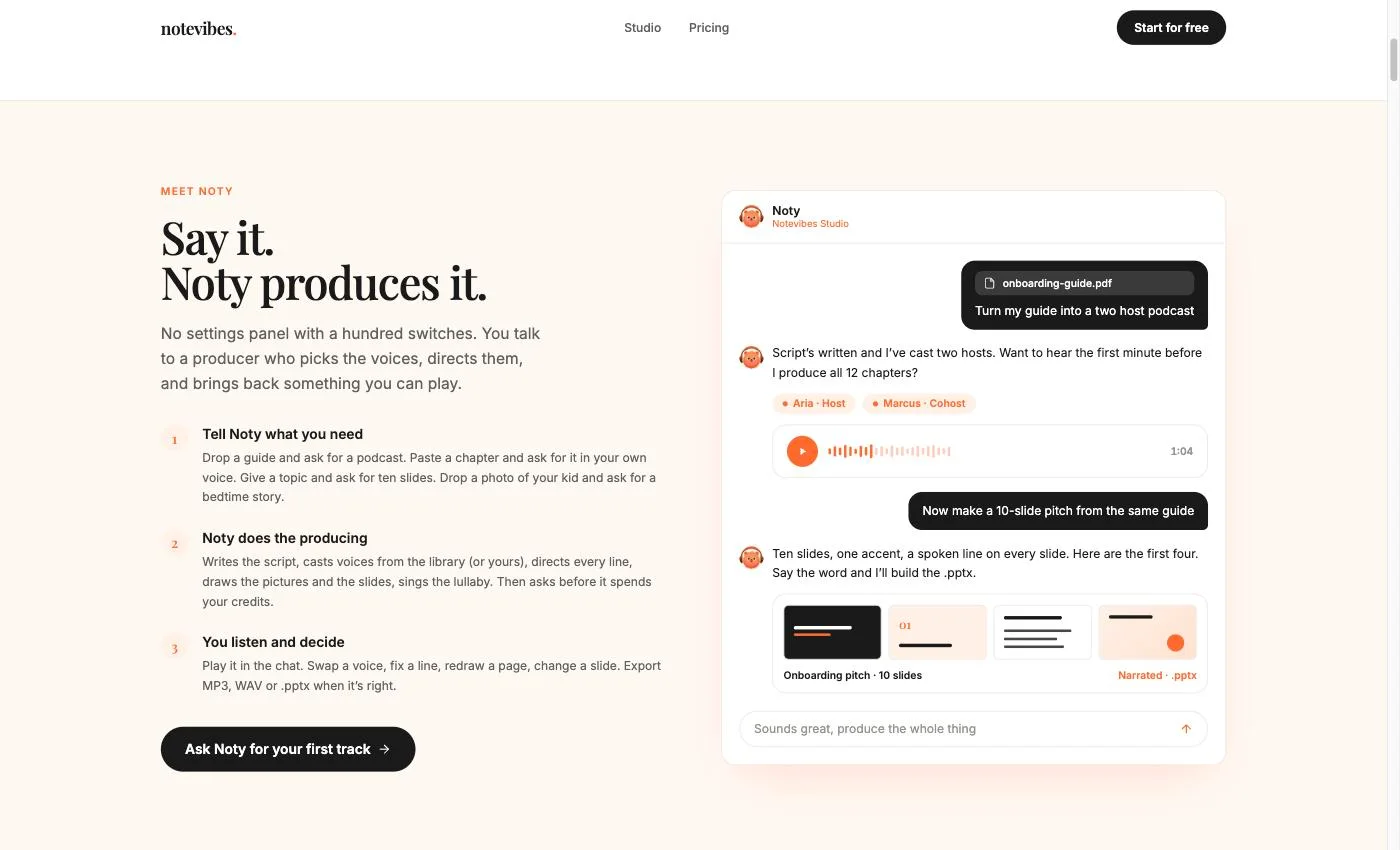
Most tools on this list give you a voice and leave the rest to you. Notevibes gives you a producer. Noty is the AI agent inside the Studio: you chat, Noty does the work. Hand over a script, a PDF or just a topic. Noty comes back with narration, a two-host podcast, an audiobook with a voice per character, or a narrated slide deck you can download as a real .pptx.
On Creator and up, any of it can be in your own voice. Record or upload 10–30 seconds, then read one consent sentence in the same voice. The clone is private by default; flip "Share with my workspace" if your team needs it. It sits in the voice picker next to 2,000+ named Natural voices, and Noty can cast it as a podcast host, an audiobook narrator or one side of a dialog.
What Noty Makes for You
Narration from pasted text, PDF, DOCX, PPTX, a URL or a photo of a page
Podcasts with two or more hosts, from a document or just a topic
Audiobooks with character detection and a voice per character
Narrated presentations, exported as a real .pptx
Your cloned voice in any of the above (Pro)
80+ emotion tags like [excited] and [whisper] for delivery (Pro)
2,600+ voices in 130+ languages on every paid plan
What It Costs
Free: no card, no watermark, 90+ free voices to try without signing up
Starter $9/mo: 100K credits, about 2 hours of audio
Creator $19/mo: 500K credits, about 10 hours (~$0.032/min), commercial rights
Pro $49/mo: 1.5M credits, about 30 hours (~$0.027/min)
Pro adds unlimited cloned voices, API access and up to 5 seats
Hours use the introductory rate through Dec 31, 2026; after that the same credits buy about 40% less audio
Questions?
What is AI voice cloning?
AI voice cloning makes a digital copy of a voice from a short recording. Once the clone exists, you type any text and it speaks in that voice. Instant cloning now works from about 10 seconds of audio on several tools. Professional cloning, which captures more nuance, still asks for 30 minutes or more of clean recordings.
Is voice cloning legal?
Cloning is legal in most places when the voice owner agrees. Several US states, including Tennessee, California and New York, protect voice likeness by law. The EU AI Act requires disclosure of synthetic media. In September 2026, China's Supreme People's Court issued rules that cover unauthorized voice cloning with civil liability, and a Japanese voice actor sued TikTok over an AI clone of his voice. The short version: get written consent, every time.
How much audio do I need for voice cloning?
Less than you think, for an instant clone. Resemble AI's rapid clone needs about 5 seconds. ElevenLabs v4 and Speechify work from about 10 seconds. Fish Audio and Notevibes take 10–30 seconds; Notevibes also asks you to read one short consent sentence. Google's Gemini 3.8 TTS replicates a voice from a 30-second authorized sample. Professional clones, like ElevenLabs PVC, want 30+ minutes. More clean audio still means a better clone.
Can a cloned voice speak other languages?
Yes, on some tools. ElevenLabs v4 covers 90+ languages. Rask AI translates video into 135+ languages and keeps the speaker's cloned voice in 32 of them. Resemble's Chatterbox Multilingual covers 23+. Quality varies by tool and by language pair, so test the languages you actually need.
Is voice cloning ethical?
Voice cloning is ethical when used responsibly: with consent from the voice owner, transparent disclosure that AI-generated voice is being used, and no intent to deceive or defraud. Legitimate use cases include preserving voices for those losing speech to illness, creating audiobook narration, and localizing content across languages. Unethical uses include deepfakes, impersonation, and fraud.
What are the risks of AI voice cloning?
Fraud is the big one. In September 2026, security researchers warned about cloned voices impersonating children to extort their families, using audio scraped from social media. Other risks include political deepfakes and cloning people without consent. Good tools push back with consent checks, watermarking and detection. Resemble AI now sells deepfake detection as its main product.
Do I need to disclose AI-generated voice content?
In many jurisdictions, yes. The EU AI Act requires clear labeling of AI-generated content. Several US states mandate disclosure for synthetic media. Major platforms (YouTube, TikTok, Meta) require creators to label realistic AI-generated content. Even where not legally required, disclosure is considered best practice.
What is the best free voice cloning tool?
Fish Audio clones on its free plan: 8,000 credits a month, about 7 minutes of audio. Check its terms before publishing, since its own pages disagree on commercial use. Resemble's Chatterbox is open source if you can host it. ElevenLabs' cheapest cloning plan is the $6 Starter. Notevibes has a free plan with no card and no watermark, and 90+ free voices you can try without signing up; cloning is on every paid plan.
How much does voice cloning cost on Notevibes?
Cloning is on every paid plan, with commercial rights. Starter at $9 a month includes one cloned voice and 100K credits, and Creator at $19 a month or $190 a year includes one cloned voice and 500K credits (about 10 hours). Pro at $49 a month or $490 a year has unlimited cloned voices and 1.5M credits, about 30 hours of audio a month at the current introductory rate (roughly $0.027 per minute). It also includes 80+ emotion tags, full commercial rights, API access and up to 5 team members.
Voice cloning vs text-to-speech — what is the difference?
Text-to-speech uses ready-made voices: you pick one from a library and it reads your text. Voice cloning builds a voice that sounds like a specific person, from a recording of them. A library voice is the fastest route for most content. A clone is worth it when the audio should sound like you. In Notevibes both sit in the same voice picker: 2,600+ library voices on every paid plan, and your own clone too.
Can I use AI voices to narrate an audiobook?
Yes. In Notevibes you drop the manuscript into the chat (PDF, DOCX, TXT, or EPUB on Pro) and Noty does the casting. It finds the characters, gives each one a voice, and narrates chapter by chapter. On any paid plan, you can narrate it yourself with your cloned voice. The full walkthrough is at notevibes.com/how-to-create-an-audiobook.
Your Script. Your Voice. Finished Audio.
Hand Noty a script, a document or just a topic, and get back narration, a podcast or an audiobook. Start on the free plan, then add your own cloned voice on Creator or Pro.